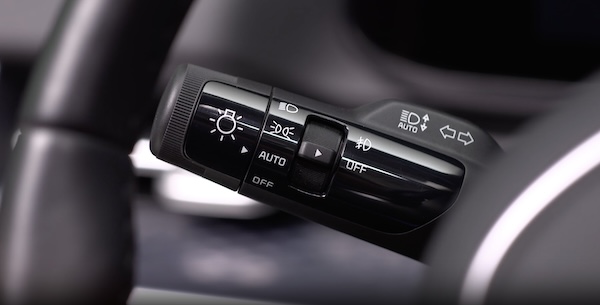
High Beam Assist (HBA)
The High Beam Assist is designed to automatically adjust the headlight range by switching between high and low beams based on light detected from oncoming vehicles and road conditions.
With the engine on, select Lights, then select High Beam Assist (or HBA (High Beam Assist)) from the Settings menu to turn on High Beam Assist and deselect to turn off the function.
To enable HBA: toggle the light switch to the AUTO Light position and turn on the high beams by pushing the lever away from you. The High Beam Assist indicator will illuminate.
Certain features are available only on select Kia models.
High Beam Assist does not operate below certain speeds, or in some lighting and driving conditions. Please be aware of your surroundings and exercise proper road etiquette when operating a vehicle using the high beams.
Refer to section 4 in the Owner’s Manual for more information.

