
Kia Connect Infotainment System
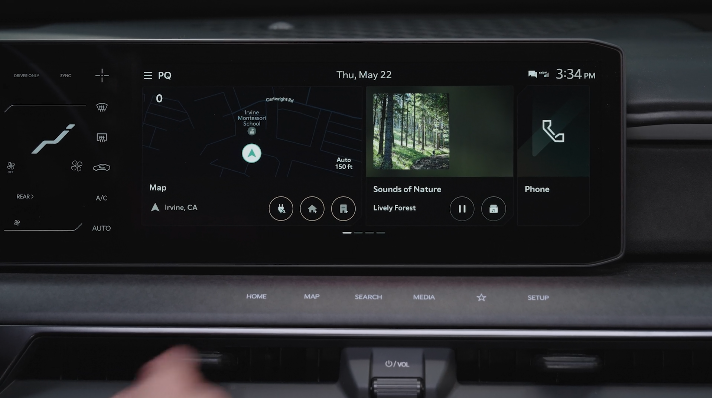
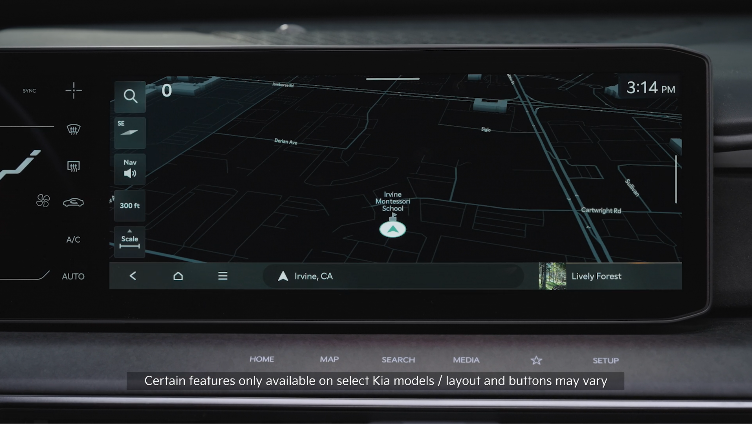

 : To program a custom key, press and hold the Custom Key, then select one of the available features you would like the Custom Key to open.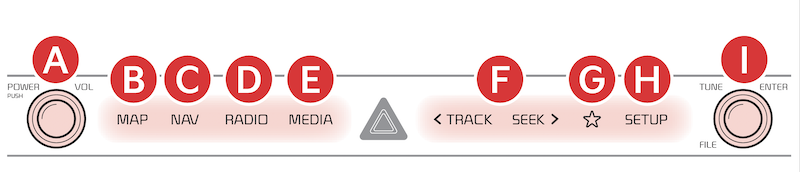
 Press to Power ON/OFF. Rotate to adjust Volume
 Press to display the Map screen for the current position/Voice mode
 Press to display the Navigation menu screen
 Press to select FM/AM/SiriusXM® modes
 Press to enter MEDIA mode
 Press briefly to do the following:
Press and hold to do the following (over 0.8 seconds):
• FM/AM mode: Move quickly through all of the frequencies. When released, the system seeks the next available frequency
• MEDIA mode: Rewinds or fast forwards the track or file (except for Bluetooth® Audio)
 A programmable key to provide quick access to one of several available system features
 Press to display SETUP/Settings mode
 Rotate to change Radio/SiriusXM® Station/Media tracks/files. Press to select
*See LEGAL page for legal information
Certain features are available on select Kia models.
Your vehicle’s audio system may differ from that in the illustration. For more information, refer to the Car Infotainment System Quick Reference Guide.
Driving while distracted can result in a loss of vehicle control that may lead to an accident, severe personal injury and death. The driver’s primary responsibility is in the safe and legal operation of a vehicle, any handheld devices, other equipment or vehicle systems which take the driver’s eyes, attention and focus away from the safe operation of a vehicle or that are not permissible by law should never be used during operation of the vehicle.

