CRUISE CONTROL
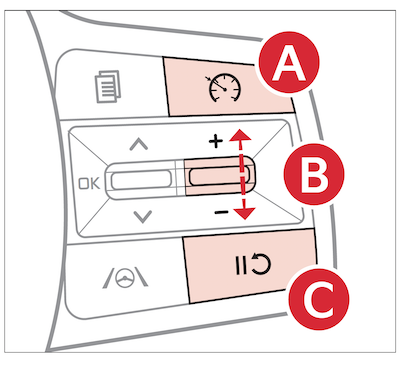
 Driver Assist button
  : Press to turn the Cruise Control On/Off. The indicator will illuminate on the Instrument Cluster and the set speed will automatically activate at the vehicle’s current speed
 + switch: Press up to increase Set speed
- switch: Press down to set or decrease Set Speed
 Pause/Resume switch
 : Press to pause Cruise Control.
Press again to resume Cruise Control

