Android Auto*™ Setup

Wireless Connection setup for Android Auto™:

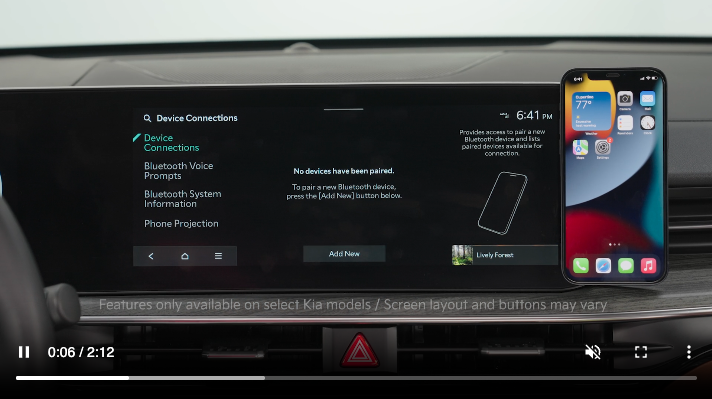
  1. To use Android Auto wirelessly, on the Infotainment System home screen, press SETUP, DEVICE CONNECTIONS, PHONE PROJECTION and ANDROID AUTO OPTIONS. Then select ENABLE ANDROID AUTO
  2. On the DEVICE CONNECTIONS screen, press ADD NEW. Make sure Wi-Fi and Bluetooth are enabled on your smartphone and follow the prompts on your phone
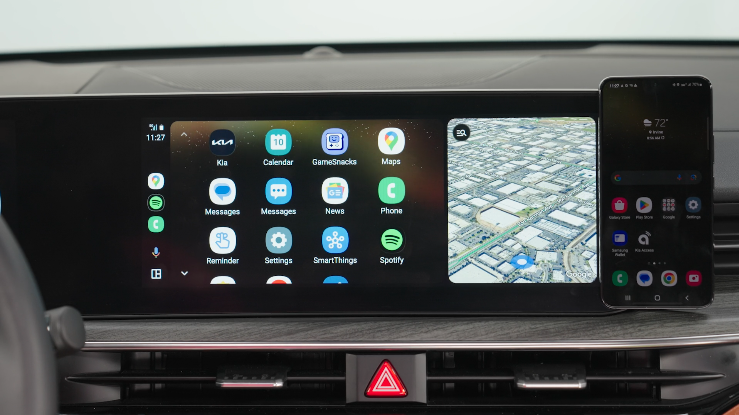
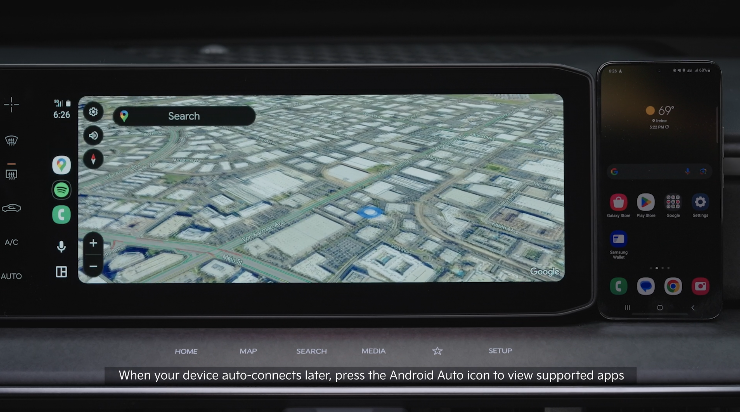
  3. An Android Auto message will appear on the Infotainment System screen when the phone is connected
  4. Press YES to connect to Android Auto

Quick Tips:

If Android Auto™ randomly disconnects:

  • Ensure the USB cable is certified by the phone manufacturer for both power and data
  • Clean the phone’s port, which the USB cable connects to, with disposable compressed air
  • The phone should not be disturbed while driving as this can cause a disconnection at the phone’s USB port
  • Visit the phone manufacturer’s website for Android Auto™ concerns

Reminders:

  • Android Auto™ compatibility requirements for connection: OS Android™ 9.0 or higher, phone manufacturer’s USB cable and data plan with applicable feature(s)
  • Always update your phone to the latest operating system release
  • Android Auto™ runs on your smartphone cellular data service. Normal data rates will apply
  • Wireless Android Auto™ system only works for certain Android™ models. Use the manufacturer’s USB cable when wireless feature is not available

*See LEGAL page for legal information.

For further Kia Connect with Smart Navigation operations, refer to the Car Infotainment System Quick Reference Guide.

Android Auto™ and Apple CarPlay® run on your smartphone cellular data service. Normal data rates will apply.

Driving while distracted can result in a loss of vehicle control that may lead to an accident, severe bodily injury, and death. The driver’s primary responsibility is in the safe and legal operation of a vehicle, and any handheld devices, other equipment, or vehicle systems which take the driver’s eyes, attention and focus away from the safe operation of a vehicle or which are not permissible by law should never be used during operation of the vehicle. Images are for illustrative purposes only and may not reflect actual feature or operation.