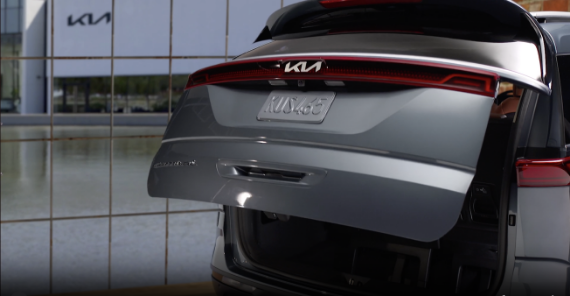
Smart Trunk with Auto Open*

When the Smart Key fob is with you and you are within close proximity of the back of the vehicle, the hazard warning lights will blink and a chime will sound for about 3 seconds as an alert that the Smart Trunk is about to unlock.

Then the alert system will blink and chime two additional times before unlocking the Smart Trunk.

To enable the Smart Trunk, go to the Vehicle Settings in the Infotainment System. Press SETUP key/button, VEHICLE, DOOR, then enable SMART TRUNK.

Quick Tips:

During the Smart Trunk alert, the Smart Power Trunk can be deactivated with the Smart Key by pressing any button on the key fob.

Reminders:

  • When closing, be mindful of any objects or persons in close proximity
  • The Smart Key must be outside of the vehicle for the Smart Power Trunk to
    operate
  • All doors are closed and locked after about 15 seconds
  • The Smart Trunk feature will not operate when the doors are recently closed
    and locked, and the Smart Key is still detected after 15 seconds near the
    vehicle or within 60 inches of the door handles, a door is not locked or closed,
    or the Smart Key is in the vehicle
  • Press any button on the Smart Key fob during the Detect and Alert stage to
    deactivate the Smart Power Trunk function
  • When the ignition is on, the Smart Trunk will only operate with the gear shift
    in the Park (P) position
  • Ensure obstacles and people are out of the way of the Smart Trunk

For illustrative purposes only. Your actual display, buttons and/or features may vary.

Refer to section 4 in the Owner’s Manual for more information.

