Charging Connector - Auto/Lock Mode

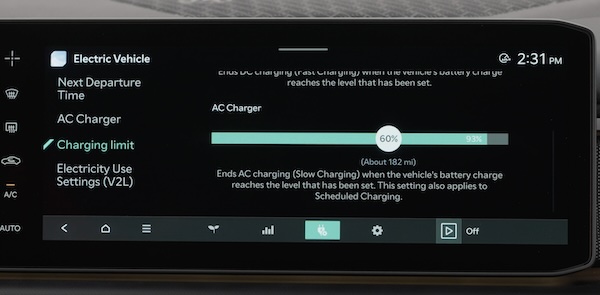
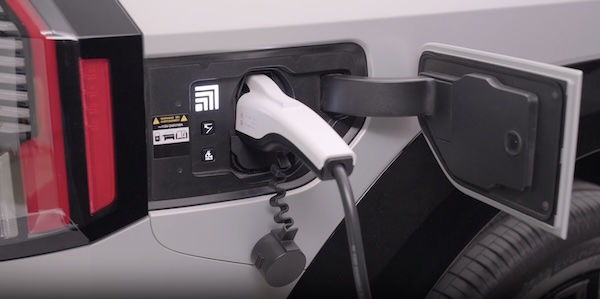
The Charging Connector can be set to be locked or unlocked while in the charging inlet and charging. Go to the Vehicle Settings* in the Infotainment System to set the connector to Lock Mode.

Press SETUP, ECO Vehicle or EV and then Charging Connector Locking Mode.

Select the preference: Always Lock, Lock While Charging, Do Not Lock.

Quick Tips:

  • If in lock mode & the doors are unlocked, the charging connector unlocks, but if the charging cable is not disconnected within 10 seconds, the connector will be automatically locked again
  • If the charging connector is unlocked but all the doors are locked again, immediately, the connector will be automatically locked again
  • If charging does not work, disconnect the connector and try charging again

Reminders:

  • If the connector cannot be unlocked, refer to section 1 in the Owner’s Manual on how to unlock the connector in an emergency
  • To prevent charging cable theft, the charging connector cannot be disconnected from the inlet when the doors are locked or the charging connector is in the LOCK mode. Unlock all doors to disconnect the charging connector from the inlet. If the release button does not work even after the all doors are unlocked, pull the emergency lift cable in the engine compartment or refer to section in the Owner’s Manual on how to unlock the connector in an emergency

When engaged, FCA is not a substitute for safe driving and may not detect all objects in front of the vehicle or alert the driver when the vehicle is approaching another vehicle. Always drive safely and use caution.

-

Actual Vehicle Settings steps may vary by model. For illustrative purposes only. Your actual display, buttons and/or features may vary. Refer to section 1 in the Owner’s Manual for more information.