
Head-Up Display (HUD)
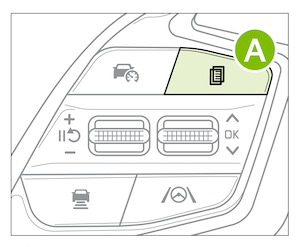
The Head-Up Display is a semi-transparent display that is designed to project a snippet of information from the Instrument Cluster and navigation system* onto the windshield glass. To enable HUD, press the MODE button 
 on the Steering Wheel to enter the User Settings* on the Instrument Cluster then press VEHICLE.
The HUD displays:
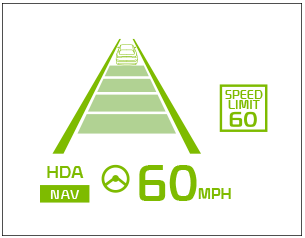
Drivers can adjust the HUD settings from Vehicle Settings* in the Infotainment System. Press SETUP, VEHICLE and HEAD UP DISPLAY.
The HUD displays:
The HUD image on the windshield glass may not be visible in these cases:
*See LEGAL page for legal information.
The Head-Up Display is a supplemental function. Do not solely rely on the function, always drive safely, and pay attention to the driving conditions on the road. Images are for illustrative purposes only and may not reflect actual feature or operation. See section 5 in the Owner’s Manual for more information.

