HomeLink® Support Link


The HomeLink® / Electric Chromic Rearview Mirror* is designed to automatically detect and reduce mirror glare during nighttime driving by monitoring light levels in the front and rear of the vehicle. It also allows you to connect up to three electronic transmitters into one location.
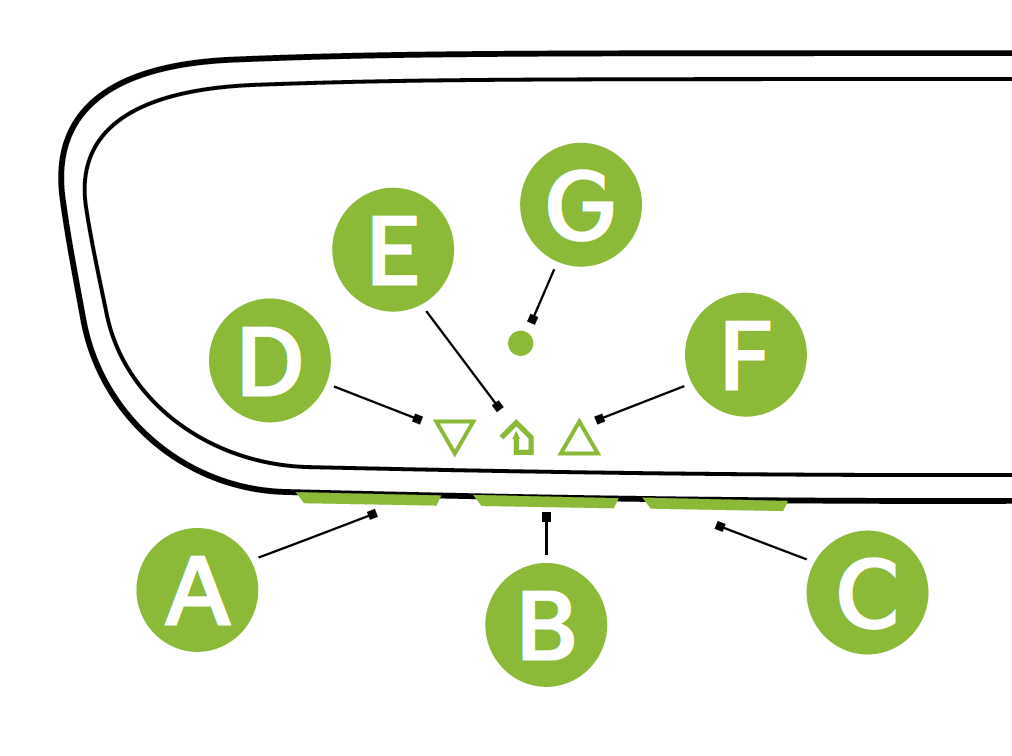
 HomeLink® Channel 1
 HomeLink® Channel 2
 HomeLink® Channel 3
 Garage Door Opener Status Indicator: Closing or Closed
 HomeLink® Operation Indicator
 Garage Door Opener Status Indicator: Opening or Open
 HomeLink® User Interface Indicator
If programming for the first time, begin with Step 1 (repeating this step will delete all information). To program non-rolling and rolling code garage door openers and other devices:
and buttons simultaneously until the indicator light begins to flash (to reprogram buttons, skip this step)or and hold the button on the transmitter while it is approximately 1 to 3 inches away from the mirror. The HomeLink® Indicator light will flash rapidly once the frequency signal has been successfully programmed. To finish programming rolling code garage door openers, complete these steps:Operating HomeLink®: Press one of the programmed HomeLink® buttons.
Erasing programmed buttons: Press and hold the and buttons simultaneously for approximately 20 seconds, and then release both buttons within 30 seconds.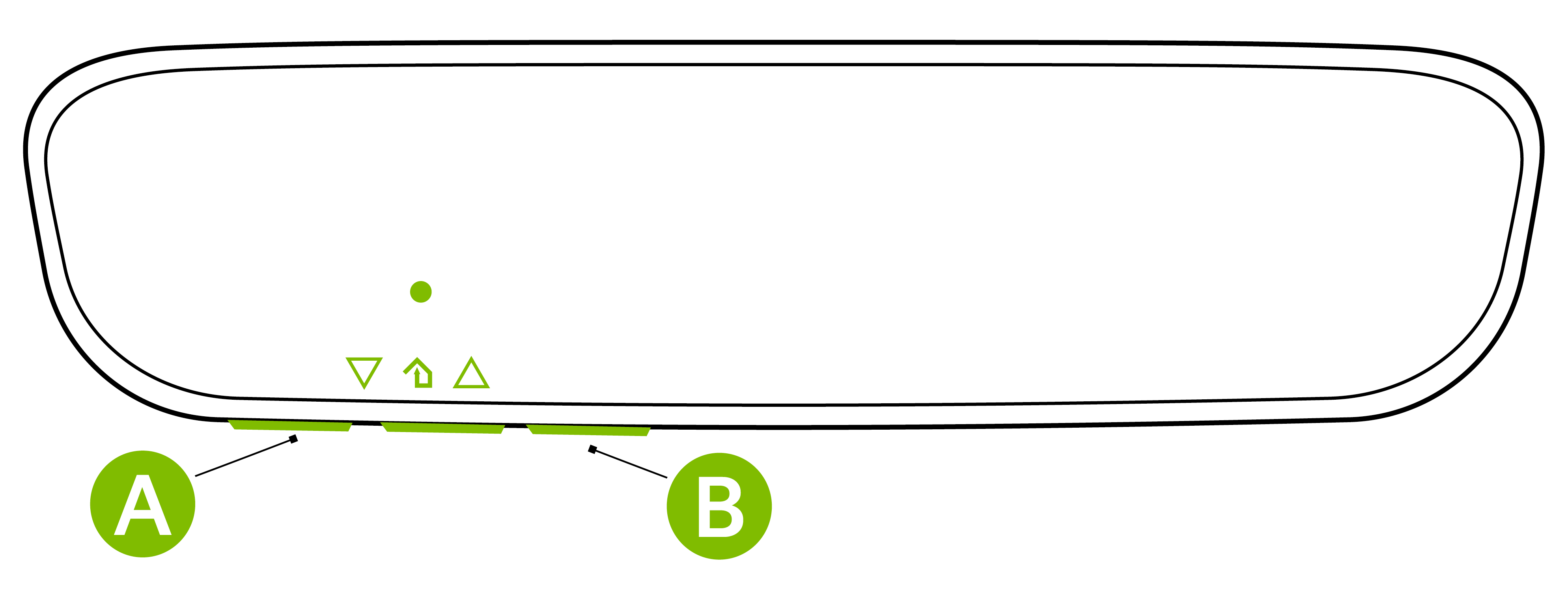
*See the LEGAL page for more information.
This feature may not be available on all Kia models.
Images are for illustrative purposes only and may not reflect actual feature or operation.
If your garage door opener was manufactured in 2011 or later, and you’re unable to program your vehicle’s HomeLink® system, you may need to purchase a HomeLink Repeater Kit. For more information, go to www.HomeLink.com or call (800) 355-3515.

