Kia Connect Activation*

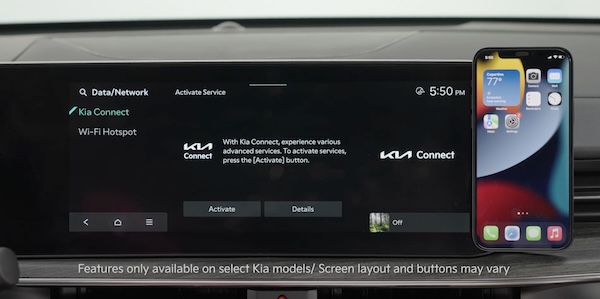
Follow these steps to activate your Kia Connect system:

  1. Enter the activation screen on your Infotainment System: press the SETUP key, press the Kia Connect icon, press Activate 
  2. Read and agree to Terms of Service and Privacy Policy and press SUBMIT
  3. Enter number or email address to receive a verification code, then press SUBMIT
  4. Click on the link and a page will open requesting you to create an account
  5. Provide the information needed and select SAVE to create the account
  6. A page will open displaying your verification code. Enter this code on the Infotainment System screen. Press OK and SUBMIT, then press OK again
  7. On your phone, select I HAVE ENTERED MY VERIFICATION CODE and a link will be provided to download the Kia Access App. After installing the app, log in and enjoy

Note: If you already have a Kia Owners Portal account using the email or phone number as your login ID, you will need to provide your password prior to receiving the verification code.

*See LEGAL page for legal information

-

For further Kia Connect operations, refer to the Car Infotainment System Quick Reference Guide.

-

Kia Connect may be unavailable for model year 2022 vehicles sold or purchased in Massachusetts.