
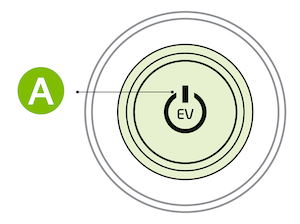
EV Power Button*

To start the vehicle:

  1. Depress the brake pedal
  2. Press the Power button while the gear shift is in Park or Neutral
Quick Tips:

To use electrical accessories:

ACC position

  • When in the OFF position and without depressing the brake pedal, press the POWER button once (amber light)

On position

  • When already in the ACC position (amber light) and without depressing the brake pedal, press the POWER button again (red light)
  • When in the OFF position (not illuminated) and without depressing the brake pedal, press the POWER button twice (red light)

Reminders:

  • In an emergency situation while the vehicle is in motion, you are able to turn the vehicle off and to the ACC position by pressing the POWER button for more than 2 seconds or 3 times successively within 3 seconds
  • If the Smart Key battery is weak or not working properly, hold the Smart Key fob up to the POWER button (Lock button side closest) and press to start vehicle
  • Do not turn the vehicle off by pushing the POWER button while the vehicle is in motion. If the vehicle has been turned off the power brake and power steering system cannot operate
  • With the vehicle off, hydraulic power assist for steering and braking will be disabled and the vehicle will be more difficult to control

*See LEGAL page for legal information.

For illustrative purposes only. Your actual display, buttons and/or features may vary. Refer to section 6 in the Owner’s Manual for more information.

