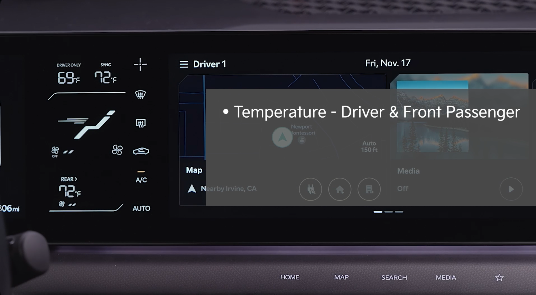
Climate Control System Overview
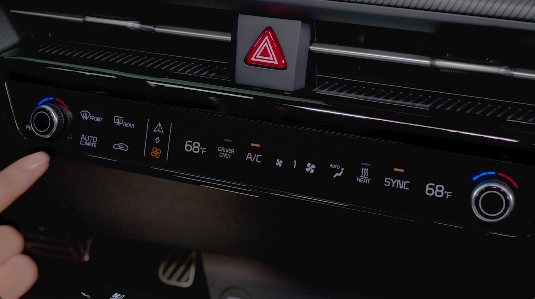
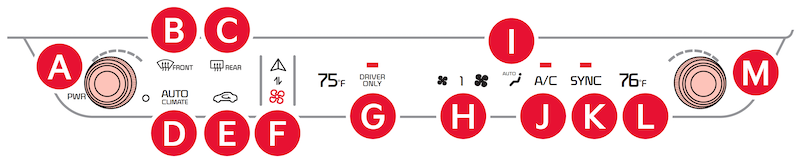
 Driver Temperature Control knob
 Front Windshield Defroster
 Rear Windshield Defroster
 AUTO Climate
 Recirculated Air button
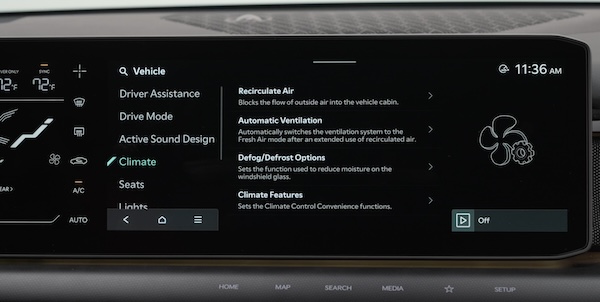
 Toggle between Climate and Infotainment Controls; press and hold to set the default mode displayed
 Driver Only Climate display
 Fan Speed Control knob
 Mode Display
 A/C On-Off
 SYNC (Dual Zone)
 Passenger Climate display
 Passenger Climate Control knob
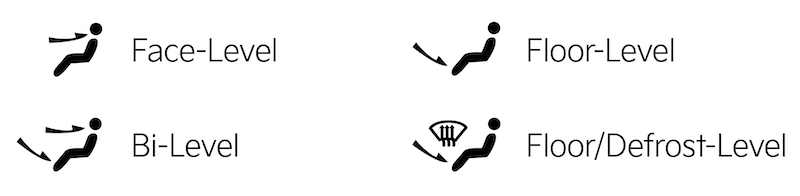
Air Flow Modes: To select Air Flow Modes, press the MODE selection button

to the desired temperature.Auto Defogging System: Auto defogging is designed to reduce the fogging up of the inside of the windshield by automatically sensing the moisture of the inside of the windshield. The system will automatically change to defrost mode when needed.
Auto Defogging is set ON by default. To cancel Auto Defogging, press and hold the Front Defrost button  for three seconds when the vehicle power is on (the defrost button light will flash three times and the ADS OFF icon will illuminate). To turn Auto Defogging on again, press and hold the Front Defrost button again for three seconds and the defrost button light will flash six times and ADS OFF icon will turn off.
Driver Only Ventilation: Driver Only Ventilation restricts air flow to the driver’s side vents only. This can help to improve driving range by limiting the power drawn from the battery. Press DRIVER ONLY button to enable air flow through the driver’s side vents only.
Defrost Outside and/or Inside Windshield:
to the highest position
Certain features are available only on select Kia models.
Images are for illustrative purposes only and may not reflect actual feature or operation. Your Automatic Climate Control system may differ from those in the illustrations.
Refer to section 5 in the Owner’s Manual for more information.

