Digital Key 2 Touch
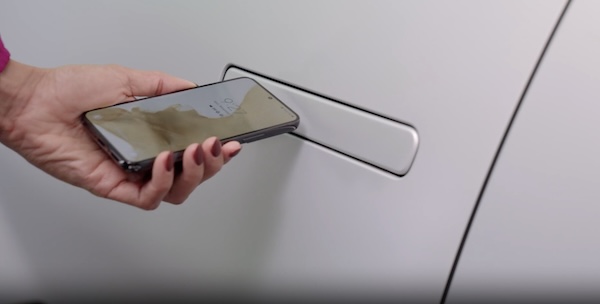
Digital Key 2 Touch, through your smartphone, can be used to lock and unlock your vehicle and allow you to start or power off your vehicle, without needing to have a key fob.
 and then MY SMARTPHONE KEY
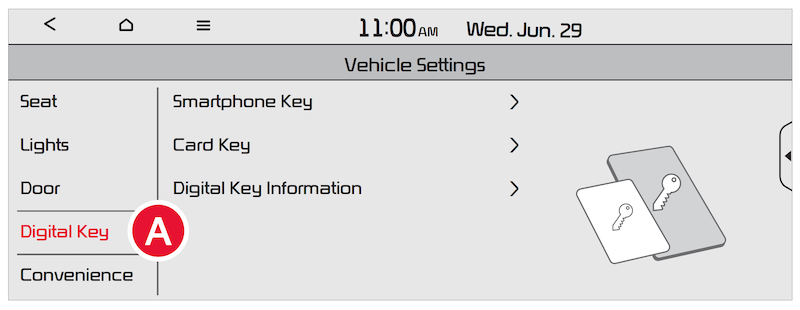 and select the menu icon to adjust other settings or use other features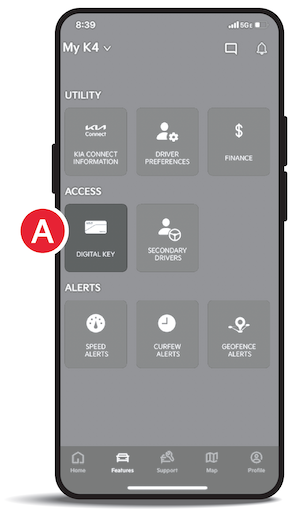
1. To lock or unlock your vehicle with Digital Key, touch phone on door handle (sensor) for more than two seconds. If two-press unlock is set up, when unlocking, touch phone on door handle (sensor) briefly, then pull away and then touch door handle again within four seconds
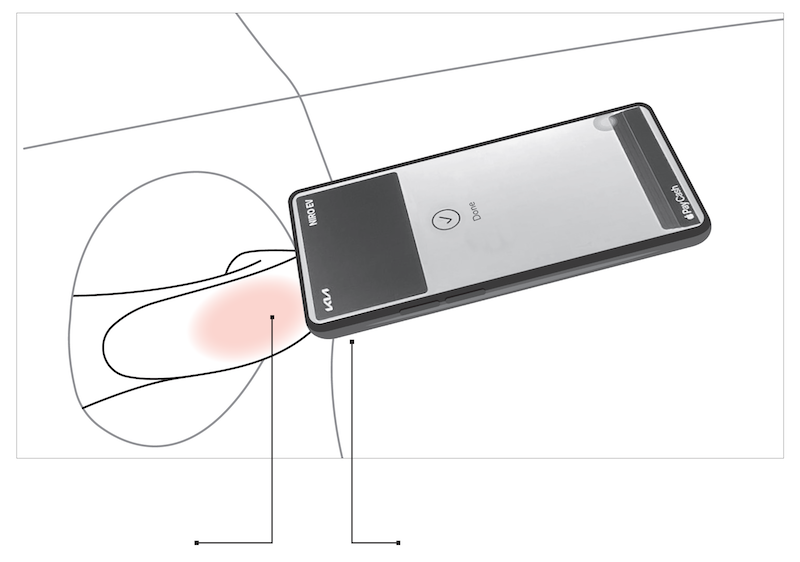
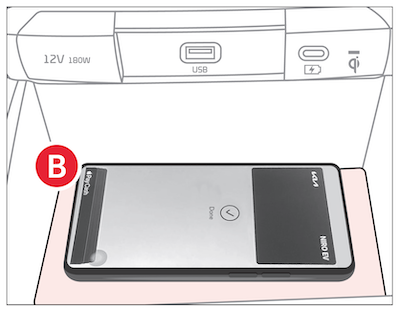
2. To start your vehicle with Digital Key 2 Touch, place registered smart phone on the authentication pad  (wireless charging pad; see next page)
During the Digital Key saving process, the process will cancel when:
Currently compatible devices:
–iPhone® XS or later.
–iPhone® 11 Pro or later (for passive entry or remote features on compatible cars)
–Apple® Watch Series 5 or later
–Apple® Watch Series 6 or later (for passive entry or remote features on compatible cars)
–Galaxy™ S20 or later
–Galaxy™ Note2 5G or later
–Galaxy™ Z Flip 5G (not yet released) or later
–Galaxy™ Fold 2 or later
*See LEGAL page for legal information. This feature may not be available on all Kia models.
Kia Digital Key 2 Touch requires an eligible Kia Connect subscription and a compatible smart device with an active data plan. Normal cellular service rates may apply when using a smart device.
Images are for illustrative purposes only and may not reflect actual feature or operation. Refer to section 5 in the Owner’s Manual for more information.

