Driver Attention Warning (DAW)
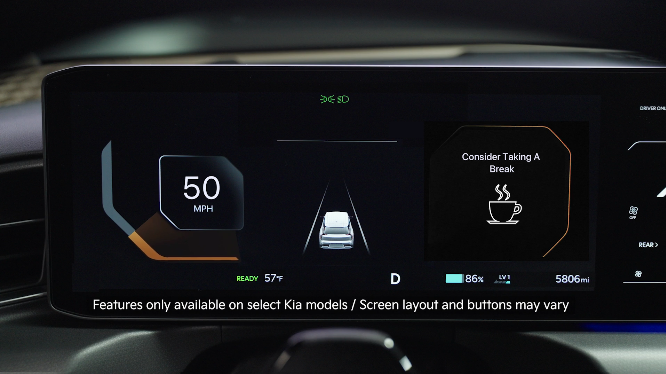
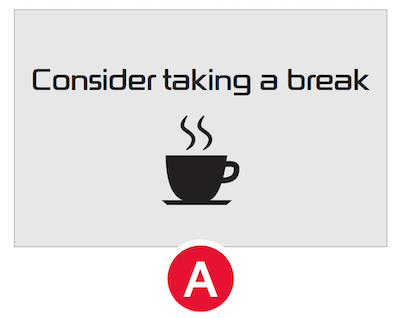
Driver Attention Warning is designed to alert the driver if it detects inattentive driving patterns and, in certain situations, can give a warning signal to take a break. A message, “Consider taking a break,”  appears on the LCD and a warning sounds to suggest the driver take a break when DAW detects that the driver’s attention level has become low.
- DAW can be turned on/off by going to the User Settings in the Instrument Cluster or the Vehicle Settings in the Infotainment System
- Only adjust settings when the vehicle is at a standstill, gear shift is in Park and the ignition is on or the Engine Start/Stop button is in the on position
- **To access User settings **
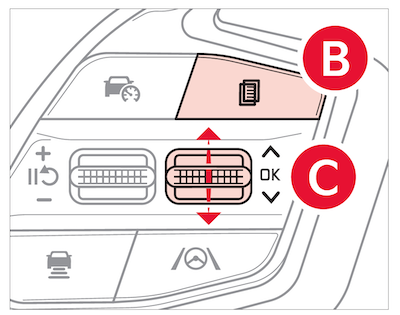
 in the Instrument Cluster - Press the MODE button
 on the Steering Wheel to toggle to User Settings . Press the OK
  up/down to toggle to Driver Assistance, then Driver Attention Warning and select Inattentive Driving Warning
- To access Vehicle settings in the Infotainment System – Press the SETUP key or the onscreen SETUP button. Press VEHICLE to enter Vehicle Settings. Select Driver Assistance, then Driver Attention Warning
*See LEGAL page for legal information
Certain features are available only on select Kia models.
When engaged, Driver Attention Warning is not a substitute for safe driving and may not detect all instances of inattentive driving practices. Failure to pay attention to travel conditions and vehicle operation could result in loss of vehicle control. Always drive safely and use caution.
Images are for illustrative purposes only and may not reflect actual feature or operation. Refer to section 7 in the Owner’s Manual for more information.

