Forward Collision-Avoidance Assist (FCA)
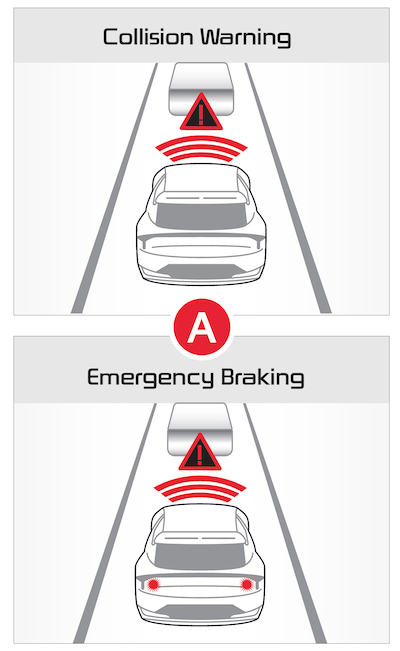
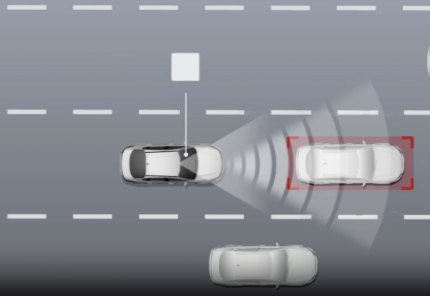
Forward Collision-Avoidance Assist is designed to detect a vehicle, pedestrian, or cyclist ahead on the road and can warn the driver of a possible collision with a warning message on the Instrument Cluster  and a warning sound. Also, FCA can assist with braking your vehicle to help reduce collision speed or avoid a collision.
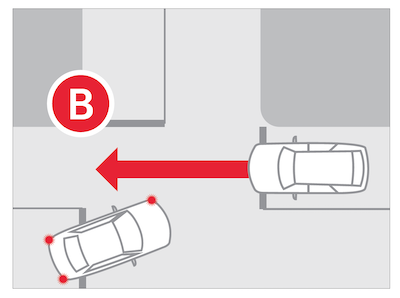
Junction Turning function  may help avoid a collision with an oncoming vehicle in an adjacent lane when turning left at a crossroad with the turn signal on by applying emergency braking.
FCA is on by default. FCA can be turned on/off by going to User Settings in the Instrument Cluster or Vehicle Settings in the Infotainment System
Only adjust settings when the vehicle is stopped, gear shift is in Park and the ignition is on or the Engine Start/Stop button* is in the ON position
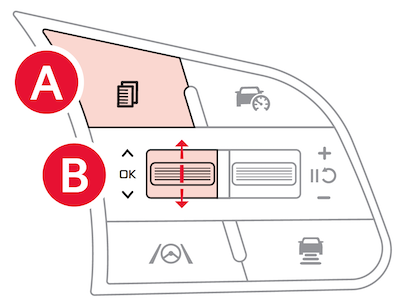
To enable/disable in User settings in the Instrument Cluster:
on the Steering Wheel to toggle to User Settings. up/down to toggle to Driver Assistance, Driving Safety, then Forward Safety To enable/disable in Vehicle settings* in the Infotainment System:
When in Driver Assistance menu, select Forward Safety Warning Timing and select one of the following:
To adjust the Warning Volume:
-Ignition is on or the Engine Start/Stop button* is ON
-Vehicle is traveling faster than 6 mph
-Electronic Stability Control (ESC) is ON
*See LEGAL page for legal information
Certain features are available only on select Kia models.
When engaged, FCA is not a substitute for safe driving and may not detect all objects in front of the vehicle. Always drive safely and use caution. Actual User Settings steps may vary by model.
Refer to section 5 in the Owner’s Manual for more information.