Vehicle & User Settings
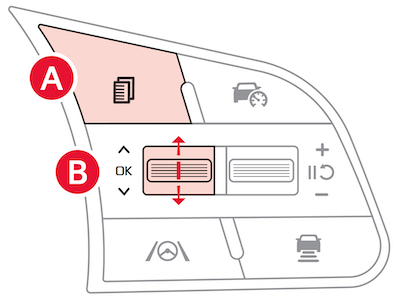
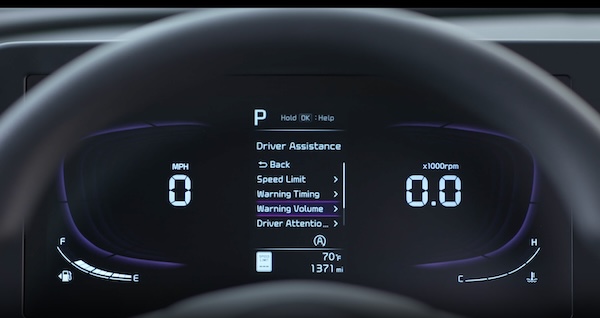
To enter the User Settings  mode in the Instrument Cluster Modes, ensure vehicle is at a stand still, shift lever is in Park, and the Engine Start/Stop button or Key is in the ON position. Then press the Mode button
 and select USER SETTINGS by pressing the OK button
  up/down.
Select the item by pressing the OK button .
Driver Assistance:
Cluster:
Lights:
Door:
Convenience:
Digital Key:
Climate:
Some settings appear in the Vehicle Settings in the Infotainment System.
Images are for illustrative purposes only and may not reflect actual feature or operation.
Check your Car Infotainment System, Quick Start Guide for more information. Drivers should remain attentive to driving and always exercise caution when using the steering-wheel-mounted controls while driving. Refer to section 4 in the Owner’s Manual for more information.