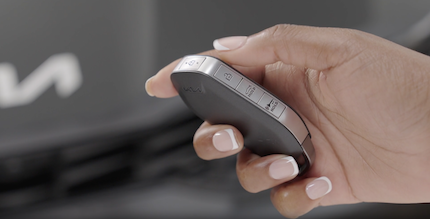
Smart Key & Mechanical Key
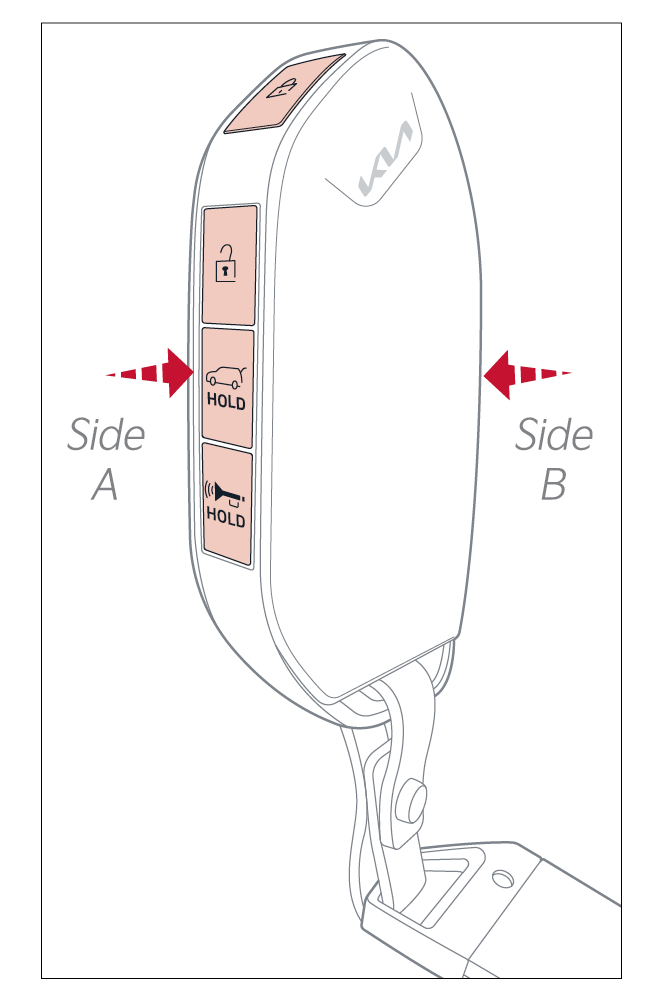
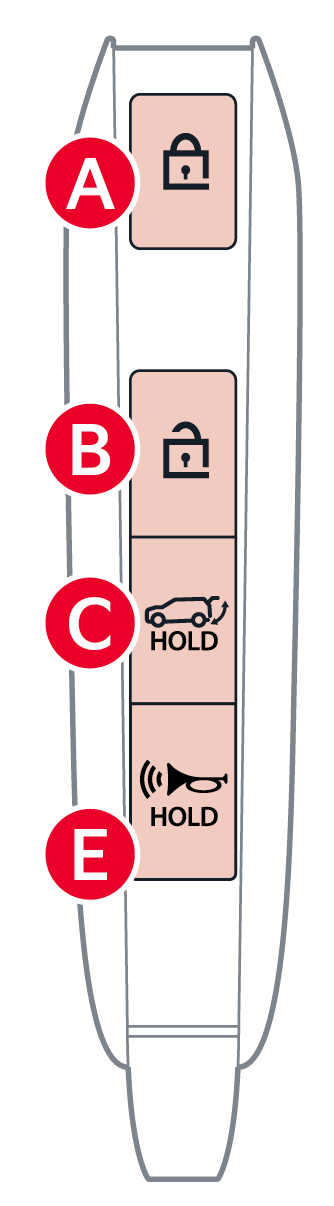
 Press to lock All Doors.
 Press to unlock Driver's Door. Press twice within 4 seconds to unlock All Doors and the Liftgate
 Manual Liftgate: Press and hold for more than 1 second to unlock the Liftgate (Trunk). Then lift by the handle to manually open the Liftgate
Power Liftgate*: Press and hold for the Power Liftgate to open automatically. Press again at any time to stop. Press and hold again to automatically close
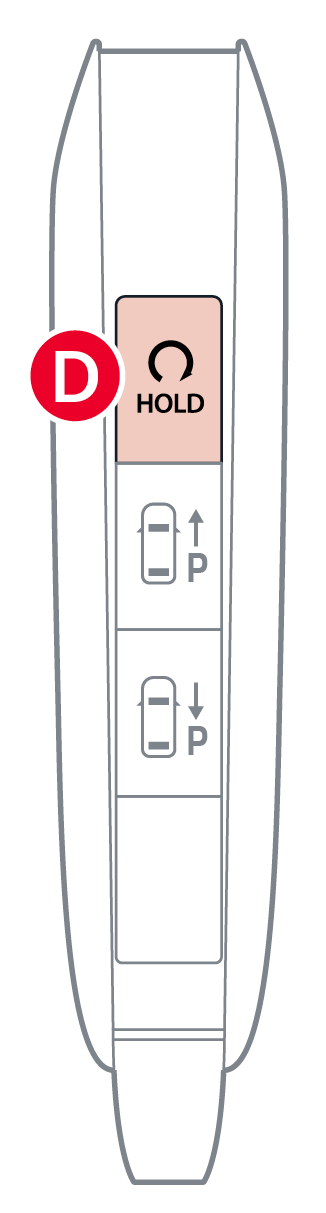
Remote Start: First, lock the doors by pressing the door lock button within approximately 32 feet from the vehicle. Within four (4) seconds of pressing the door lock button , press and hold the Remote Start button for more than two (2) seconds to start the vehicle. To turn off, press the button again. If driver does not enter vehicle within three minutes of starting the vehicle, the engine will automatically turn off
 Press and hold for more than a half second for the Panic Alarm. To turn off the Alarm, press any button
is pressed. To fully open, lift up manually**Driver’s Door Lock/Unlock button:
**
Emergency Key
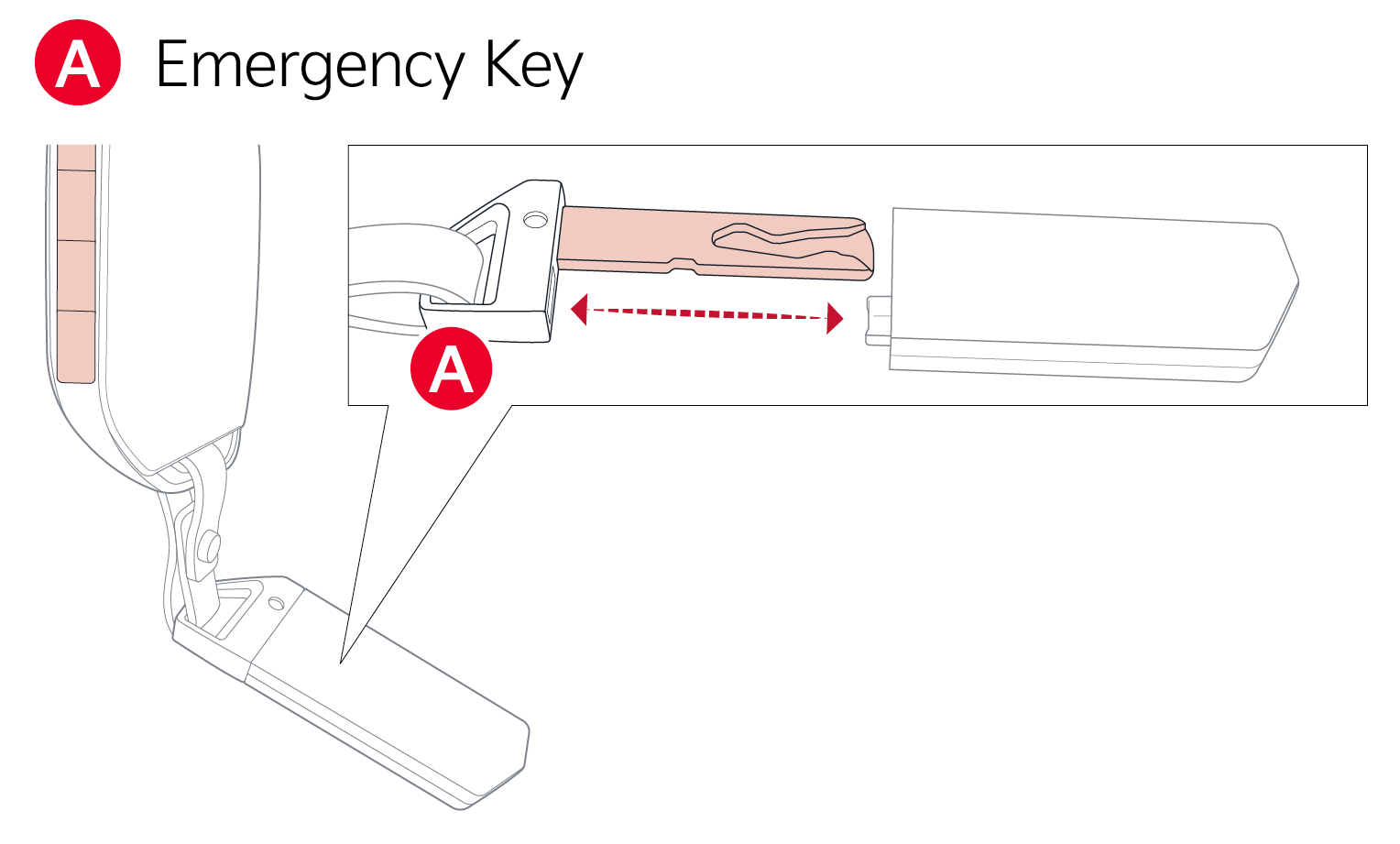
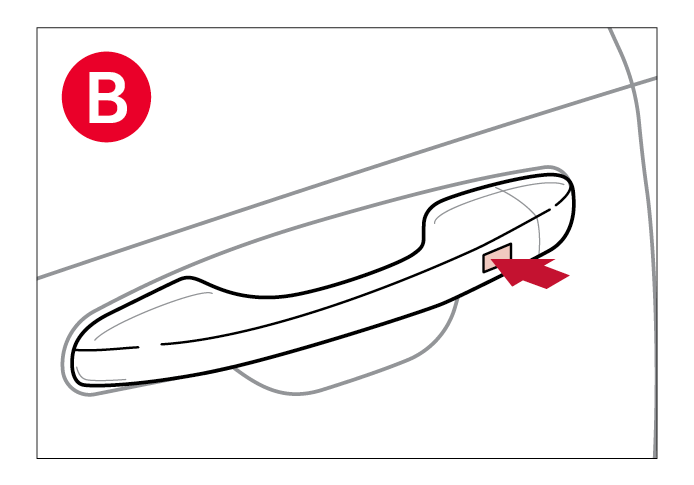
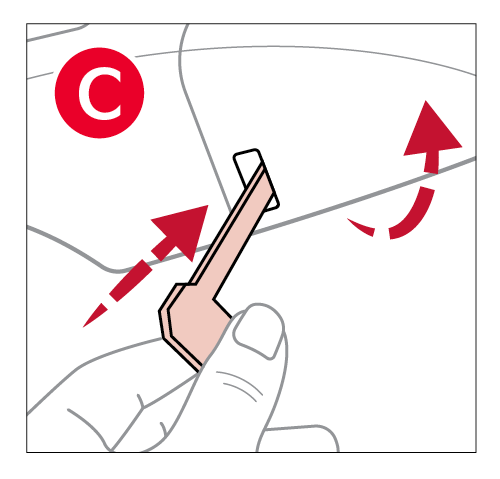
Pull out door handle. Remove door handle keyhole cover with Mechanical Key by pressing up into slot as shown .
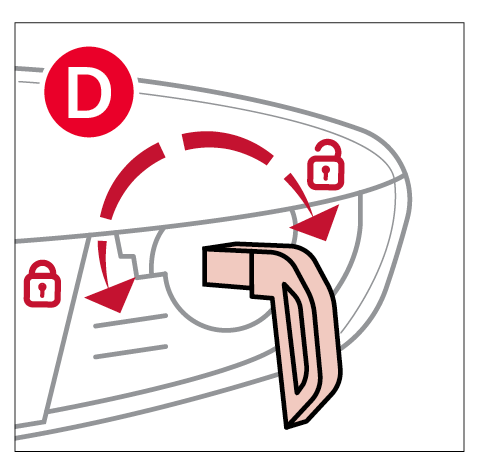
Insert Mechanical Key and turn right to unlock the driver’s door . Turn left to lock the driver’s door .
*See LEGAL page for legal information
This feature may not be available on all Kia models.
Images are for illustrative purposes only. Your actual display, buttons and/or features may vary.
Refer to section 5 in the Owner's Manual for more information.

