Plug-In Hybrid Display (Infotainment System)
Plug-In Hybrid Display (Infotainment System)
The Infotainment System screen provides information on economical operation and Plug-In Hybrid system modes.
To enter the Plug-In Hybrid display mode:
- Press the ALL MENUS button on the Infotainment System home screen.
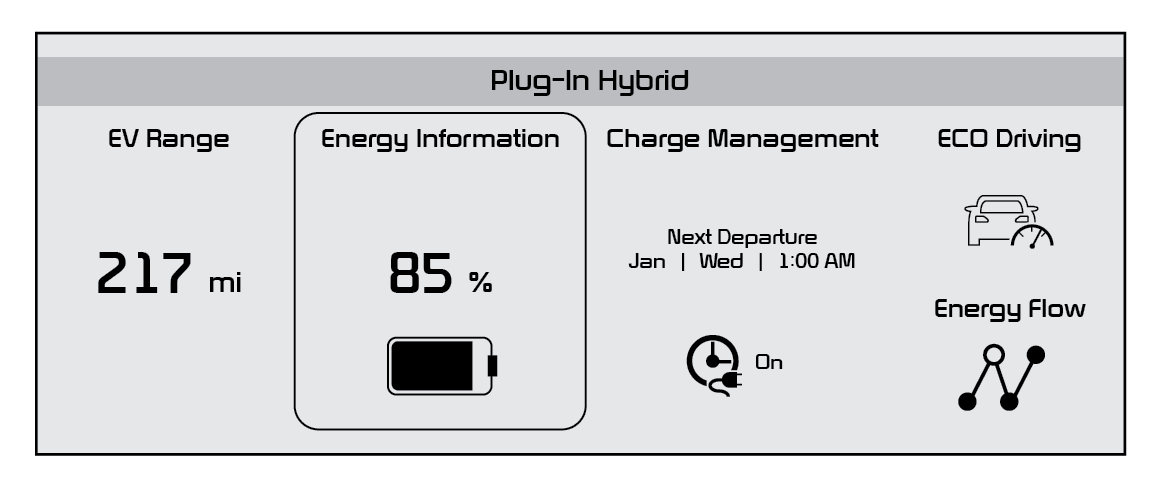
- Then select one of the menus: EV Range, Energy Information, Charge Management, ECO Driving, Energy Flow.
Some examples are below:
- Plug-In Hybrid System Home Screen - Range, Energy Info, Charge Management, ECO Driving, Energy Flow
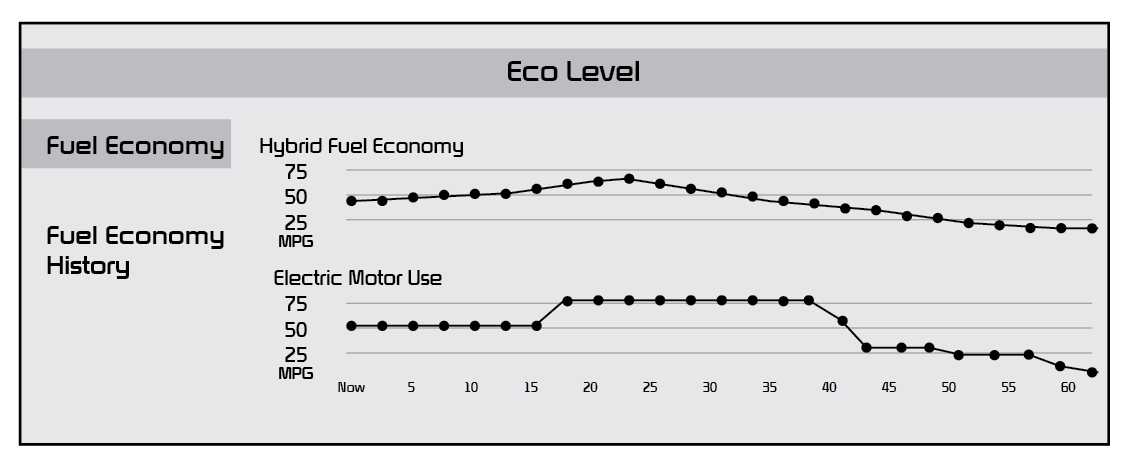
- ECO Level - The more economically you drive, the more the ECO Level increases
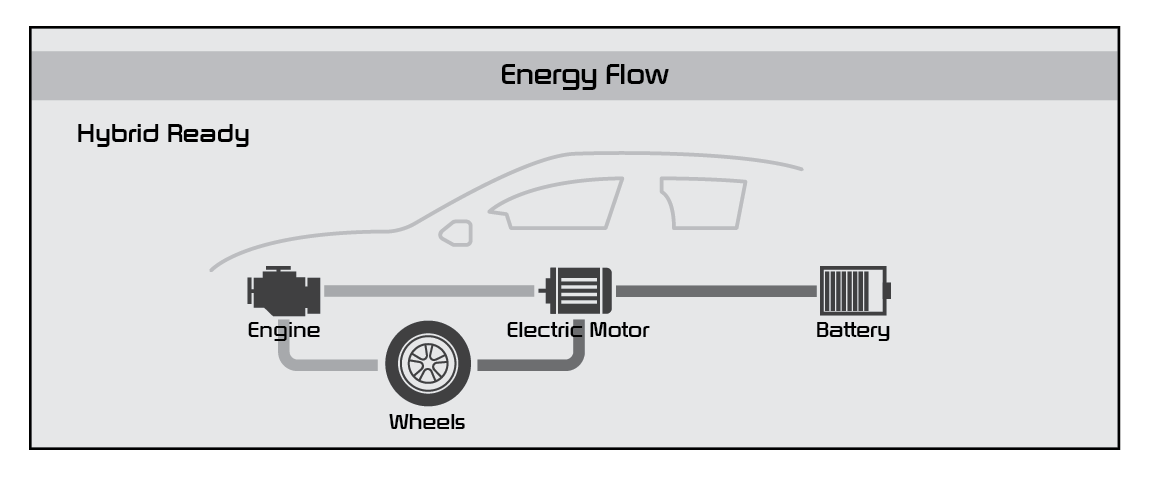
- Energy Flow - Displays the current flow of power between the main powertrain components
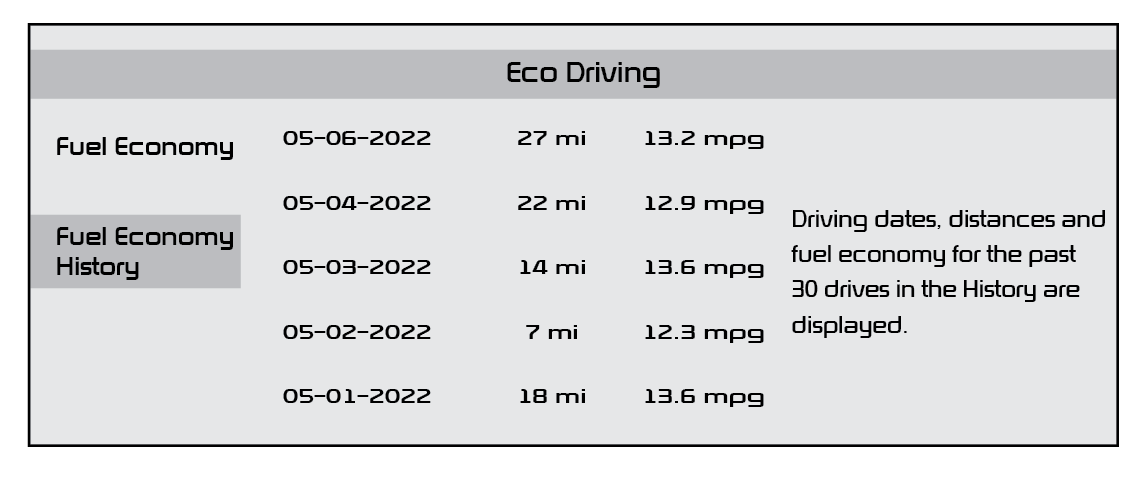
- Fuel Economy - Displays the average fuel economy over the duration of a trip
Images are for illustrative purposes only and may not reflect actual feature or operation. Refer to the Owner’s Manual for more information. Some items may appear different or vary in illustrations.

