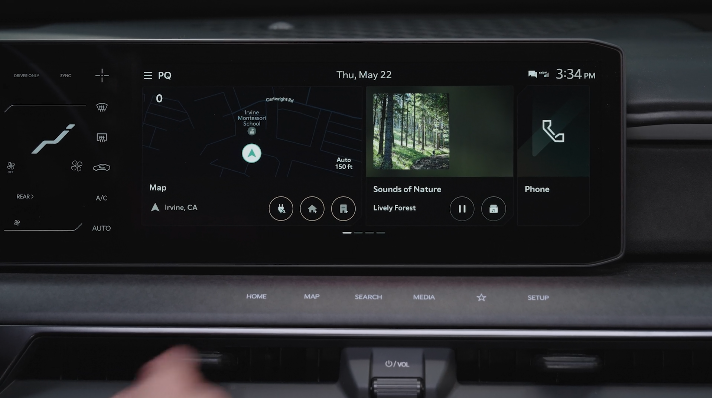
Kia Connect with Navigation
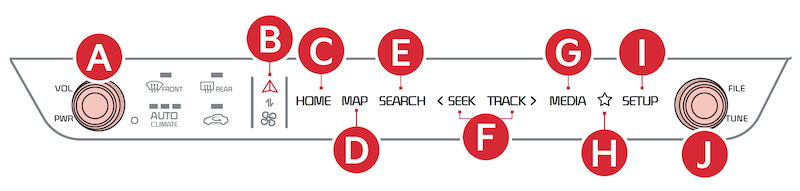
 Press to Power ON/OFF. Rotate to adjust Volume
 Infotainment System/Climate Control mode switching button
 Press to display the HOME screen for the current position mode
 Map button –
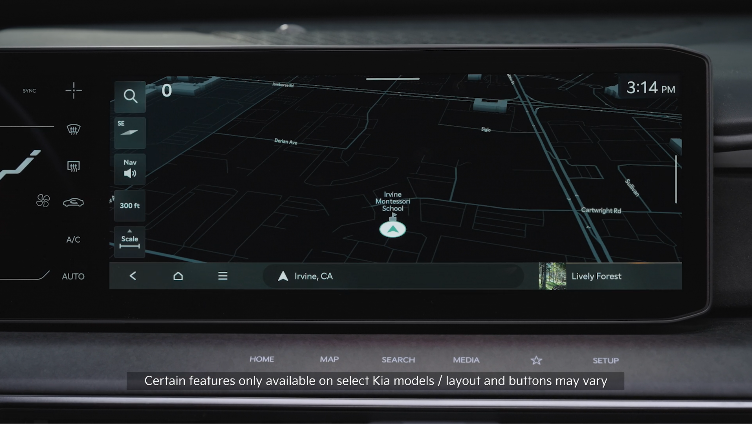
Systems with navigation: Pressing the Map button displays the Navigation* System map and your current location
Systems without navigation: When a phone is paired and connected via phone projection, press to display the phone’s native map screen. When a phone is not connected, it will display the phone projection setting screen
 Press to SEARCH media tracks
 Press briefly to do the following:
 MEDIA button (FM/AM, SiriusXM®*, USB, Bluetooth®* Audio): Press to play the connected media. Press and hold to display Media source options
 Press to select Custom (set) menu
 Press to display the SETUP mode
 In Radio/SiriusXM®/Media modes, rotate knob to search for stations/ channels/tracks/songs/files.
Press the knob to receive the selected channel/track/song/file
Press to toggle between Infotainment System and Climate Control Modes. Press and hold the Climate Control button  to set the default button display mode.
To adjust the sound settings (Position, Volume Tone, Priority, Navigation Volume, Advanced, Default, Beep) from any audio mode:
Radio Presets: To save a preset, press and hold the desired slot. This saves the current station in the selected slot.
SiriusXM™ Smart Favorites: In Radio mode, choose SiriusXM™, then select any of the first ten favorites, and during song or program play, tap the Skip Backward icon to start from the beginning of the song or program. Tap the Play Live icon to return to the live broadcast.
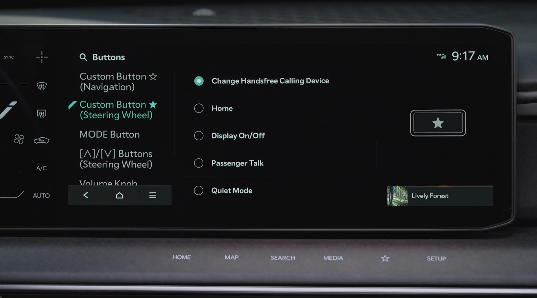
Custom Button
To program the Custom Button to one of the available features:
Map/software updates - To keep your map and software up to date, Kia provides over-the-air updates, free of charge. You can also visit the official Kia update webpage at https://update.kia.com.
Note, visiting a dealer for software update may include an additional charge.
*See LEGAL page for legal information
Your vehicle’s audio system may differ from that in the illustration. For more information, refer to the Car Infotainment System Quick Reference Guide.
Kia Connect is currently unavailable for model year 2022 and later vehicles sold or purchased in Massachusetts. See Kia Connect Terms of Service at owners.kia.com for more information on its availability.
Driving while distracted can result in a loss of vehicle control that may lead to an accident, severe personal injury and death. The driver’s primary responsibility is in the safe and legal operation of a vehicle, any handheld devices, other equipment or vehicle systems which take the driver’s eyes, attention and focus away from the safe operation of a vehicle or that are not permissible by law should never be used during operation of the vehicle.

