Charging Your EV
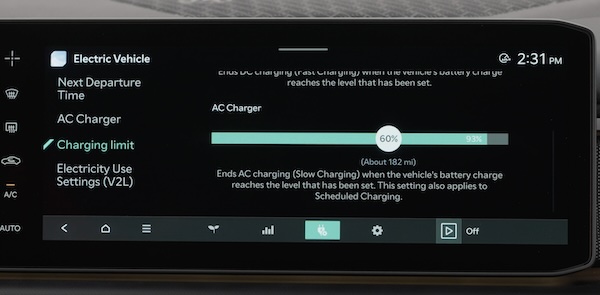
AC Charging or “Normal” / Level 2 Charging
An AC Charger or Level 2 Charger is the recommended charging system for your EV. This type of charger uses 220-230 volts of electricity and takes approximately 3-8 hours for a full charge, depending on the battery type - standard or extended.
This charger may be able to be installed at your home by a qualified electrician or can be found at a public charging station.
Quick Tips:
An AC Charger or Level 2 Charger is recommended for regular charging of the vehicle.
Reminders:
The shape of the charger and how to use the charger may be different for each manufacturer. Please see section 7 in the Owner’s Manual for more information.
A DC Charger or “Fast” / “Ultrafast” / Level 3 Charger is usually found at public charging stations. When the standard vehicle battery is at about 10% charge, the “Fast” DC Charger (50 kW) may charge the EV to about 80% in approximately 55 minutes. The “Ultrafast” DC Charger (350kW) may charge the EV to 80% in approximately 29-31 minutes.
Reminders:
Kia does not recommend primarily charging with a DC charger because it can reduce the lifespan of the battery.
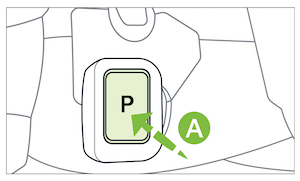
- Press the “P” button
 on the Gear Shift to place the transmission in Park. Engage the parking brake by pulling up the Electronic Parking Brake (EPB) button
  and then power off the vehicle
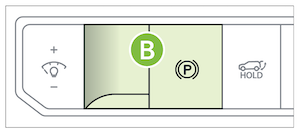 (Button on driver’s panel to the left of steering wheel)
- Ensure scheduled charging is not set on the Infotainment System or the Kia Access* App. You can also press the Immediate Charge button
 near the charge port
(Charge port located at right front of vehicle)
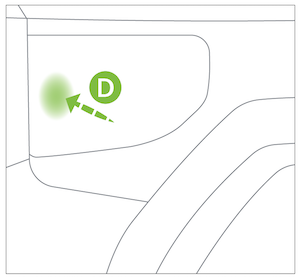
- To open the charge port door, press the left edge of the charge port door

- Hold the charging connector handle
 and connect it to the vehicle’s charging inlet
  by pushing the connector until you hear a clicking sound
- Charging begins automatically (ensure the charge indicator light
 is illuminated red on your Instrument Cluster, indicating the vehicle is charging, and ensure scheduled charging is not set)
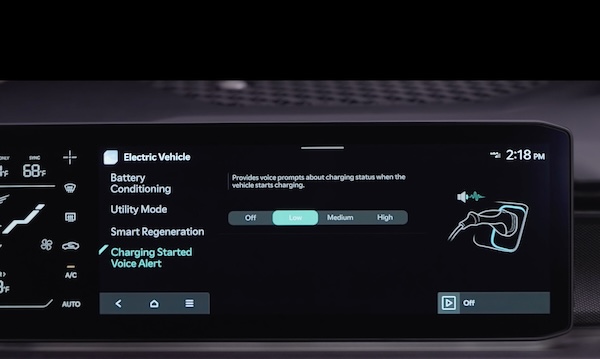
The charging status can be checked by viewing the charging status indicator next to the charging inlet or on the dash panel, in the Instrument Cluster, or by using the Kia Access* App.
The lights will progressively become lit as the vehicle approaches a full charge.

*See LEGAL page for legal information
Certain features are available only on select Kia models.
Button configuration may vary. Images are for illustrative purposes only and may not reflect actual feature or operation.
For more detail and/or subsequent steps in charging your vehicle, including safety precautions that should be taken, please see section 7 of the Owner’s Manual.

