EV Charge Transfer / Vehicle to Load / 115V Inverter
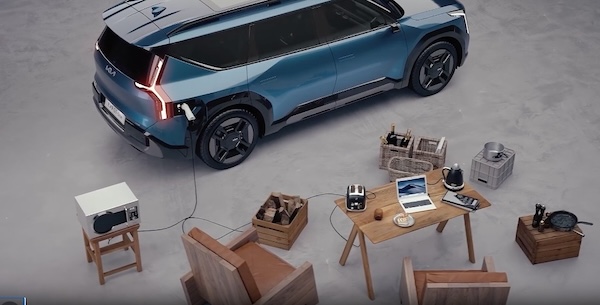
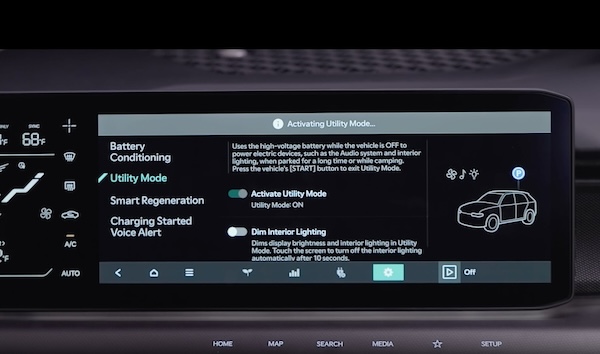
EV Charge Transfer / Vehicle to Load (V2L) allows you to use the vehicle’s high voltage battery to power certain electrical devices like home appliances or other electronic devices. V2L can also be used to charge items like electric bikes or another electric vehicle.
If equipped, there are two ports in the interior and exterior. The interior port  is located at the bottom of the second row seat and the other is the charging port for your EV.


If your EV’s high-voltage battery discharges to the limit set, the system will automatically stop supply to the ports. Set your EV’s battery discharge limit in the Infotainment System’s Settings. Press the EV Power button onscreen. Select ELECTRICITY USAGE (V2L) SETTINGS  .
.
Interior Port - The EV Power button needs to be on to operate the port. Use the Smart Key fob mechanical key to unlock the power outlet cover. Check the indicators on the port to ensure power is on.

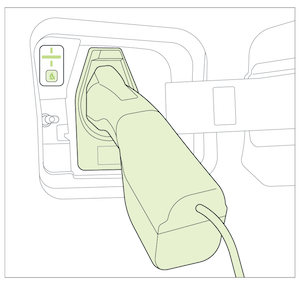
Exterior Port - Open the cover of the V2L connector and connect your appliance or electronic device. Connect the V2L connector to the charging inlet on the EV, and press the button on the connector.
Reminders:
V2L connector is not included with the vehicle. See your nearest Kia dealer for more information
Certain features are available only on select Kia models.
Images are for illustrative purposes only and may not reflect actual feature or operation. Refer to section 7 in the Owner’s Manual for more information.

