Regenerative Braking
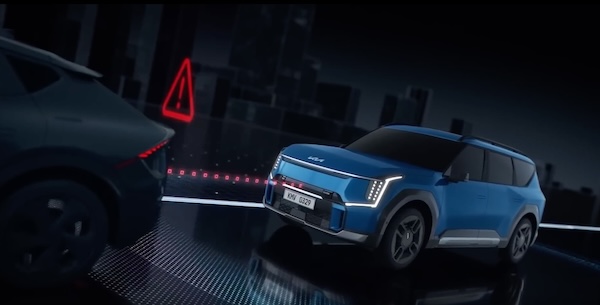
The regenerative braking system helps charge the high-voltage battery while the vehicle is coasting or decelerating.
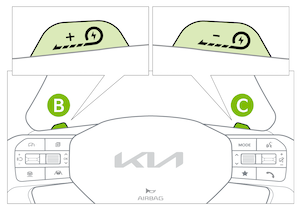
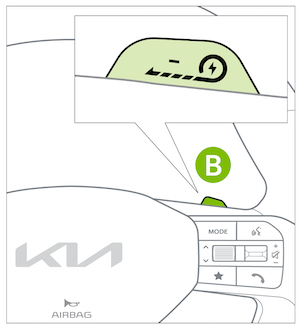
Use the paddle shifters to adjust the regenerative braking level from 0 to 3. The selected level is displayed on the Instrument Cluster  .
.
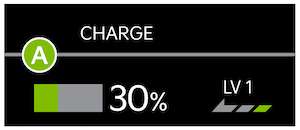
- Pull the left paddle shifter
 to increase regenerative braking and deceleration
 - Pull the right paddle shifter
 to decrease regenerative braking and deceleration
The paddle shifters do not operate when:
- Both paddle shifters are pulled at the same time
- The brake pedal is depressed
- Cruise Control or Smart Cruise Control (SCC) is active
i-Pedal allows the driver to control vehicle acceleration and deceleration using the accelerator pedal.
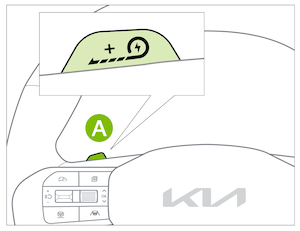
To activate i-Pedal:
Pull and hold the left paddle shifter  for more than approximately 1 second at any regenerative braking level.
To deactivate i-pedal: Pull and hold the left paddle shifter again, for more than approximately 1 second at any regenerative braking level.
When active, the i-Pedal indicator  will be illuminated on the Instrument Cluster.

Quick Tips:
Regenerative braking levels can be adjusted to suit your driving preference for each Drive Mode.
Reminders:
i-Pedal and Regenerative Braking settings can be adjusted by going to Electric Vehicle Settings in the Infotainment System

When AUTO , is displayed, Smart Regeneration is designed to automatically adjust the regenerative braking level based on the road grade and the driving conditions of the vehicle ahead.
To adjust Smart Regeneration settings:
- Go to the Infotainment System and select Electric Vehicle, then Settings
 , then Smart Regeneration
 - Toggle Link to Navigation Route to ON or OFF.
- Adjust the Smart Regenerative Braking Distance to Level 1, Level 2, or Level 3.
To turn Smart Regeneration ON or OFF:
- Pull and hold the right paddle shifterfor more than approximately 1 second.
Reminders:
When Smart Regeneration is ON, the minimum regenerative braking level can be adjusted using the left and right paddle shifter.
Certain features are available only on select Kia models.
For more information on regenerative braking, i-Pedal driving or the Smart Regeneration System, please refer to section 9 in the Owner’s Manual.
Smart Regeneration is a supplemental system for the driver’s convenience. Do not solely rely on this system to stop the vehicle or avoid collisions. Always cautiously look ahead to prevent unexpected or sudden situations.
Button configuration may vary. Images are for illustrative purposes only and may not reflect actual feature or operation.

