Scheduled Charging
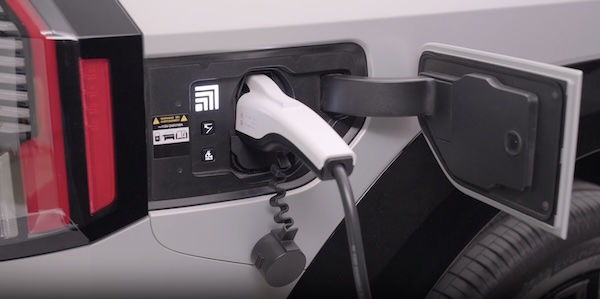
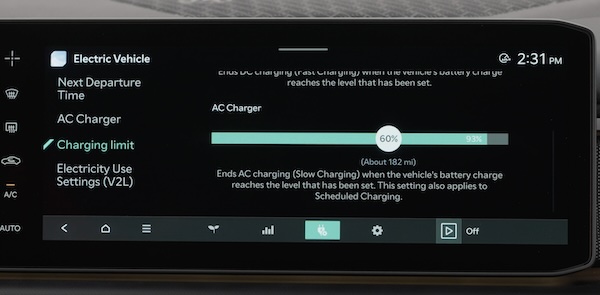
Charging times can be set through the Infotainment System EV Settings. Select EV, AC CHARGER then SCHEDULED CHARGING.
You can also use the Scheduled Charging feature on the Kia Access* app.
The Kia Access* app can help you find the nearest charging station, and also displays charging status and Scheduled Charging information.
On your smartphone, go to an app store or marketplace to download the Kia Connect app.
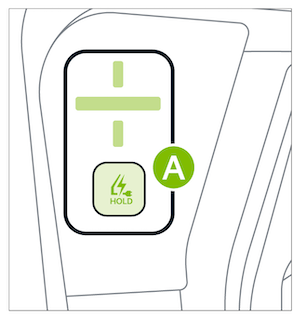
(Button located inside charge port panel. Button configuration may vary)
Deactivate Scheduled Charging - Press and hold the Immediate charge button  for 2 seconds to disable the scheduled charging feature when immediate charging is required. Scheduled charging can also be deactivated in the Vehicle Settings in the Infotainment System or Kia Access* app.
Quick Tips:
- When you press the Deactivate Scheduled Charging button the reserved charging setting will temporarily disable, and start immediate charging mode.
- If you need to completely deactivate the scheduled charge setting, change the setting in the Infotainment System’s Vehicle Settings or the Kia Connect smartphone app.
Reminders:
- When Scheduled Charging is set and the charger is plugged in, charging of the electric vehicle will not begin until the time and date set
- For more detail and/or subsequent steps in charging your vehicle, including safety precautions that should be taken, please see section 7 in the Owner’s Manual
- Scheduled charging may not be available at public chargers
*See LEGAL page for legal information
This feature may not be available on all Kia models. Button configuration may vary. Images are for illustrative purposes only and may not reflect actual feature or operation.
For more detail and/or subsequent steps in charging your vehicle, including safety precautions that should be taken, see section 7 in the Owner’s Manual.

