Smart Key with Remote Start

 Press to lock All Doors. Press twice within 2 seconds to sound the horn
 With 2-Press Unlock enabled, to unlock Driver’s Door only, press once. Press twice in 4 seconds to unlock All Doors. (To change the setting of the 2-Press Unlock feature, go to Vehicle Settings, Door, then 2-Press Unlock)
 Press and hold for more than 1 second to unlock Liftgate. Manual liftgate: Lift the Liftgate handle to manually open Liftgate
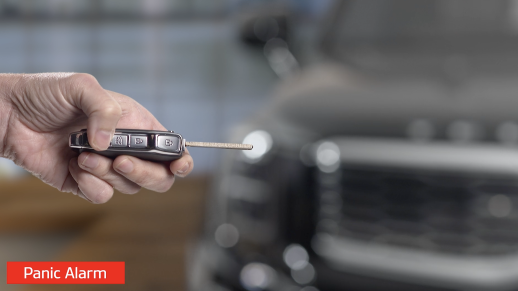
 Press and hold for more than 0.5 seconds(half a second) for Panic Alarm. To turn off Alarm, press any button
 Manual Key:
- Use to lock/unlock Driver’s Door
 by turning once or all doors by turning twice
 - Use to enable/disable Child Safety Locks
- Use to unlatch rear center seatbelt lower anchor

Reminders:
The Liftgate unlocks when the Smart Key fob is within close proximity of the vehicle Liftgate.
 Remote Start: Lock the doors by pressing the door lock button
  within 32 feet distance from the vehicle.

Within four (4) seconds of pressing the door lock button , press and hold the Remote Start button for more than two (2) seconds to start the vehicle.
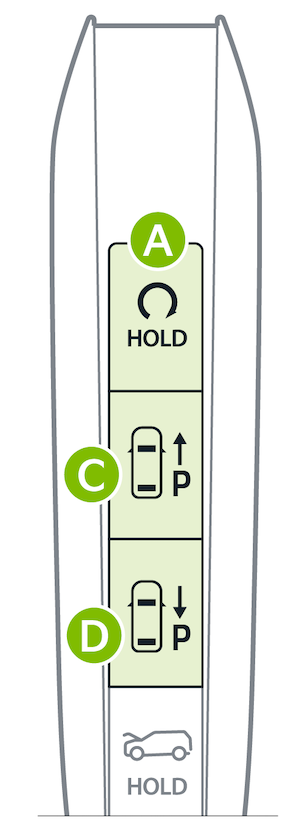
To stop the Remote Start operation, press the button again. If the driver does not enter vehicle within ten (10) minutes of starting the vehicle, the vehicle will automatically turn off.
To park or exit a parking space remotely press  and
and  as needed, see instructions on the Remote Smart Parking Assist (RSPA)* page.
Quick Tips:
- If the battery is weak or the smart key is not working properly, check that the shift lever is in the P (Park) position. Place the Smart Key on the key recognition area located on the center console, and then press the EV Power button for about 10 seconds in the ACC state. With the vehicle in the off position, restart the vehicle.
- The Smart Key's signal can be blocked by the normal operation of a cell or smartphone. To help prevent this, store each device separately.
Reminders:
- Remote button configuration may vary depending on vehicle options
- One/two button press or emergency key logic can be changed in Vehicle Settings
- When reinserting the emergency key in its holder, make sure it is pushed all the way in until there is a click sound
*See LEGAL page for legal information
Certain features are available only on select Kia models.
Button configuration may vary. Images are for illustrative purposes only and may not reflect actual feature or operation.
Refer to section 4 in the Owner's Manual for detailed information on how to use Emergency Key.

