Panoramic Sunroof with Power Sunshade
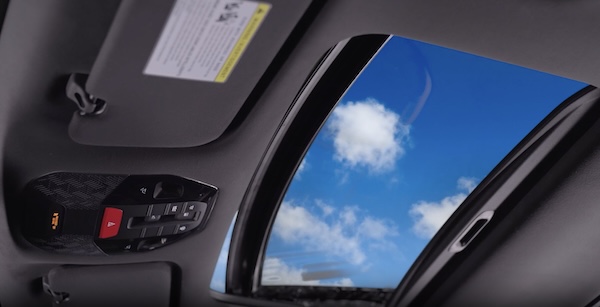
PANORAMIC SUNROOF OPERATION WITH POWER SUNSHADE
The Sunroof and Sunshade operation is controlled through a multi-directional switch/lever. The ignition or Engine Start/Stop button needs to be in the ON position to operate the Sunroof.
To slide the Sunshade and Sunroof:
- Auto Open – Slide the lever
 backward to the farthest position and release
 - Auto Close – Slide the leverforward to the farthest position and release
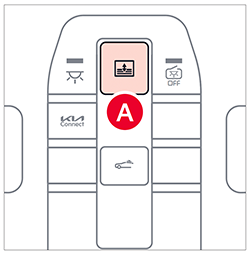
To slide the Sunshade only (with Sunroof closed):
- Auto Open: Slide the leverpartially backward to the first detent position and release
- Auto Close: Slide the leverpartially forward to the first detent position and release
To slide the Sunroof (with Sunshade open):
- Open - Slide the leverbackward to the second detent position and release
- Close - Slide the leverforward to the second detent position and release.
To tilt the Sunroof:
- Tilt open: Push leverupward. When the Sunshade is closed, it will slide to half open position
- Close: Push leverupward again or slide the lever forward to the first detent position and release
Reminders:
- Sunshade needs to remain OPEN while Sunroof is open
- When closing, be mindful of any objects or persons in close proximity
- Do not adjust the Sunroof or Sunshade while driving. This could result in loss of control of the vehicle
Quick Tips:
- To stop the Sunroof/Sunshade at any position, push or pull the Sunroof control switch in any direction.
- While driving with the rear windows down or with the Sunroof in an open or partially open position, a wind buffeting or pulsation noise may be heard. This noise is a normal occurrence and can be reduced or eliminated by the following:- If the noise occurs with one or both of the rear windows down, partially lower both front windows approximately one inch- If the noise occurs with the Sunroof open, slightly reduce the size of the Sunroof opening
Certain features are available only on select Kia models.
Button configuration may vary. Images are for illustrative purposes only and may not reflect actual feature or operation.
Refer to section 4 in the Owner’s Manual for more information.

