Rear View Monitor (RVM)
REAR VIEW MONITOR (RVM)*
Rear View Monitor displays the area behind the vehicle to assist when parking or backing up.
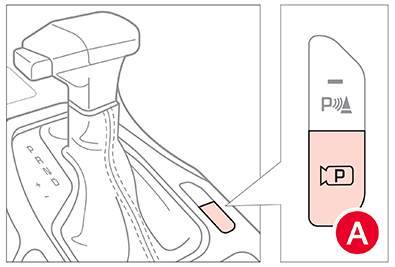
To turn RVM on/off, press the Parking/View button  on the center console or shift Gear Shift into Reverse.
RVM Settings:
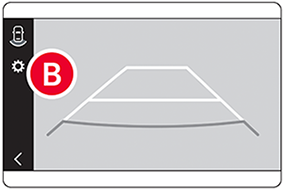
- To access Camera Settings: press the Settings icon
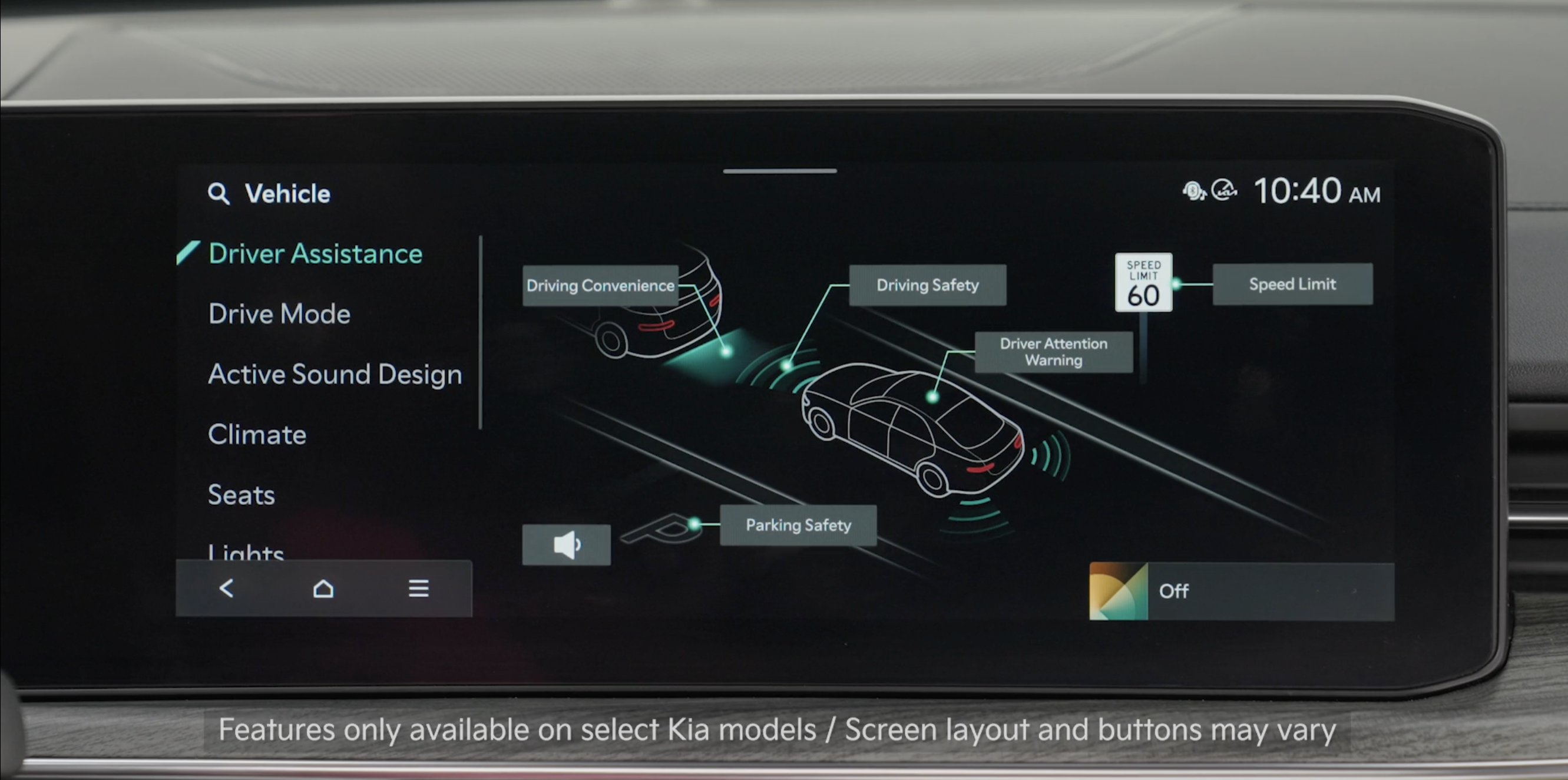
 or the SETUP key/button on the Infotainment System. Select VEHICLE, DRIVER ASSISTANCE, PARKING SAFETY, then CAMERA SETTINGS
 - You can also press SETUP, VEHICLE, then DRIVER ASSISTANCE. Here, press the speaker icon and enable PARKING SAFETY PRIORITY to have the audio system volume lower while RVM is activated
The Rear View Monitor activates when the:
- POWER button is in the ON position
- Gear Shift is in the Reverse position
- Parking/View button is pressed while the gear shift is in the Park or Neutral position. In the Neutral position, vehicle speed must be lower than 6 mph (10 km/h) to operate RVM
Quick Tips:
- To adjust the WARNING VOLUME: Press the SETUP button to go to VEHICLE SETTINGS on the Infotainment System. Press VEHICLE, DRIVER ASSISTANCE, and under WARNING METHODS, you can turn PARKING SAFETY PRIORITY on or off
- Adjusting the Warning Timing and Warning Methods or Volume will adjust settings for other driver assistance systems
Reminders:
- While camera is active, only the Infotainment System can be operated on the Steering Wheel and Instrument Cluster. All other features are disabled
- Rear View Monitor may not display every object behind the vehicle
- While in Camera Settings, REAR VIEW PARKING GUIDE LINES can also be deactivated
- The screen will return to its previous state after exceeding 6 mph
- Through normal use and after inclement weather or washing, the rear camera may become dirty. Use a clean, microfiber cloth to remove any dirt, debris or spots that have accumulated on the lens
- The horizontal lines of the Rear View Parking Guidance indicate distances ofapproximately 20, 40 and 91 inches from the vehicle
- Some driver assistance systems use a Haptic Warning, which alerts the driver by gently pulsing the steering wheel when certain conditions are detected
*See LEGAL page for legal information. This feature may not be available on all Kia models.
Button configuration may vary. Images are for illustrative purposes only and may not reflect actual feature or operation. When engaged, RVM is not a substitute for proper and safe backing-up procedures. Rear View Monitor may not display every object behind the vehicle. Always drive safely and use caution when backing up.

