Digital Key 2*
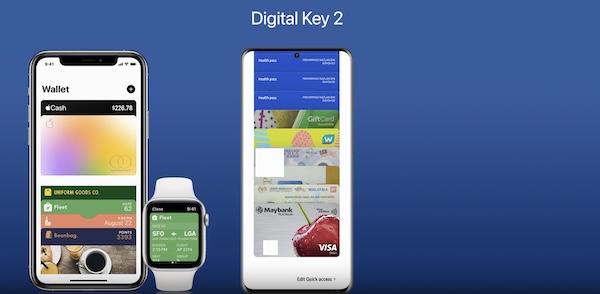
Digital Key 2, through your smartphone, can be used to lock and unlock your vehicle and allow you to start or power off your vehicle, without needing to have a key fob.
- First, ensure your Smart Key is inside the vehicle and turn the vehicle on
- Download the Kia Access App* and activate Kia Connect* in your vehicle’s Infotainment System
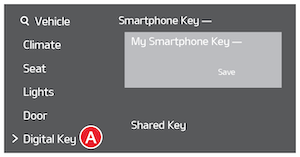
- Register your smartphone by going to the Vehicle Settings on the Infotainment System:— Press the SETUP key on the Infotainment System, then Vehicle, Digital Key
 , Smartphone Key, then My Smartphone Key
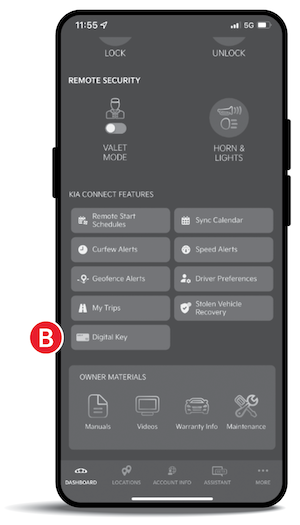
- On your smartphone, press Digital Key
 , Continue To Wallet App, then Continue again, which will open the Wallet app. Follow the prompts to complete the registration/pairing of your smartphone (actual steps may vary between apps/smartphones)
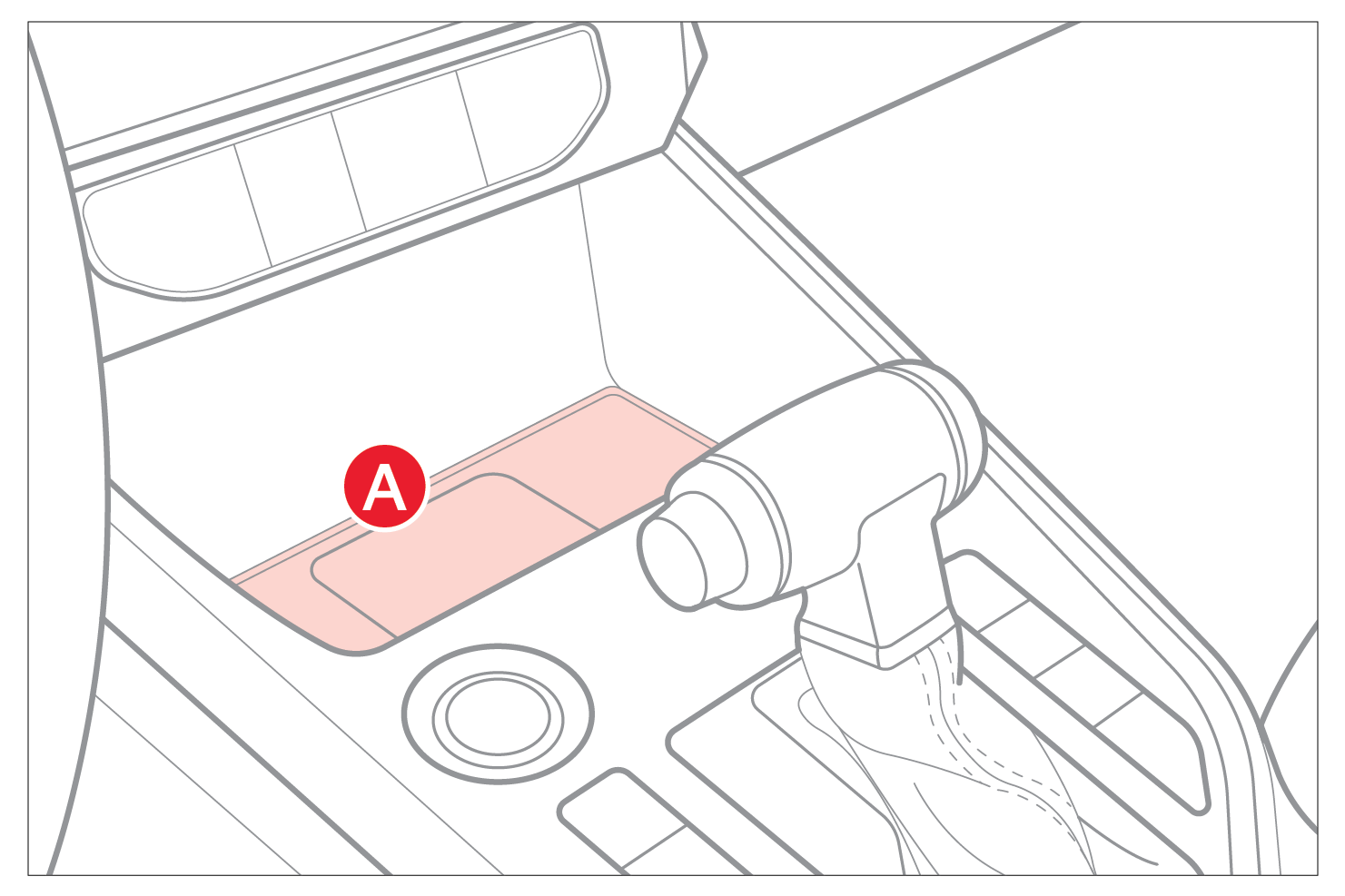
- Place your smartphone in the authentication pad (wireless charging pad) to complete registration. Click Save on the Infotainment System screen and a message will appear showing the process is in place
- When the Infotainment System is done pairing, remove the smartphone and continue the steps to open the Digital Key in your iPhone® Wallet or Samsung™ Wallet
- When in the Wallet app, click on the Digital Key and select the menu icon to adjust other settings or use other features
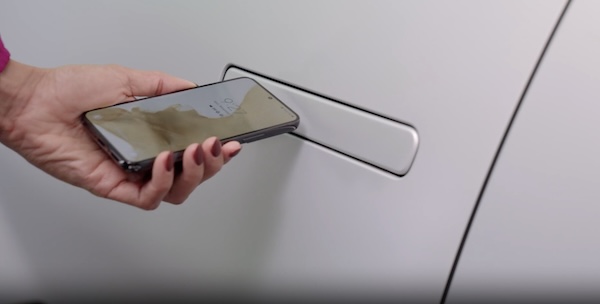
1. To lock or unlock your vehicle with Digital Key, position registered smartphone to the door handle until smartphone vibrates
2. To start your vehicle with Digital Key 2, place registered smartphone on the authentication pad , press the brake pedal and the Start/Stop button
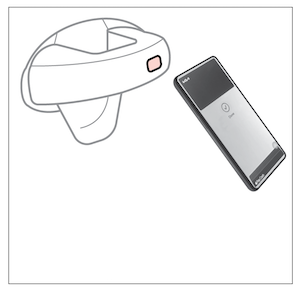
NFC antenna (backside of smartphone). Antenna position differs depending on models.
- Open the Wallet app, click on the Kia Digital Key and select the menu icon to enter settings
- Under People, click on Invite and follow the prompts to share your Digital Key with one of your contacts Apple iPhone®/iWatch® or Samsung™ phone (actual steps may vary between apps/smartphones)
When sharing a Digital Key, the receiver of the share invitation must have the same smartphone operating system, e.g., Apple® to Apple® and Samsung™ to Samsung™.
You can also delete a key using the Wallet app on your smartphone. Open the Wallet app, click on the Kia Digital Key and select the menu icon to enter settings. Under People, click on the contact you desire to revoke. Then click on Revoke Access (actual steps may vary between apps/smartphones).
To delete shared keys and the owner key: Go to the Vehicle Settings on the Infotainment System. Press Setup, Vehicle, Digital Key and Smartphone Key. Then press Delete.
Quick Tips:
- You can set the Access for the Shared Digital Key before inviting the contact
- If the smartphone digital key does not operate, move the smartphone around the door handle slowly until it vibrates
Reminders:
- Digital Key 2 is currently only compatible with Apple iPhone® & iWatch® and Samsung™ smartphones
- Your iPhone® Wallet or Samsung™ Wallet app content may vary as the apps are updated. The actual steps for Digital Key 2 setup, usage and sharing may change
- During the Digital Key saving process, the process will cancel when:— The smartphone is removed from the in-vehicle authentication pad— Changing the Infotainment System screen— The vehicle is powered off or the gear is shifted— There is no smart key in the vehicle or on your person (saving process will not begin)— You may need to set up the language for Samsung™ smartphones
- Currently compatible devices:— For Apple iPhone® (Ensure the device has the latest version of iOS®):— iPhone XS® or later.— iPhone 11® Pro or later (for passive entry or remote features on compatible cars)— For Apple Watch® (Ensure the device has the latest version of watchOS®):— Apple Watch® Series 5 or later— Apple Watch® Series 6 or later (for passive entry or remote features on compatible cars)— For Samsung Phones: Ensure the device has the latest version of Android OS™ and latest application version of Samsung™ Wallet)— Galaxy S20™ or later— Galaxy Note20™ 5G or later— Galaxy Z Flip™ 5G or later— Galaxy Fold 2™ or later
*See LEGAL page for legal information. This feature may not be available on all Kia models.
Images are for illustrative purposes only and may not reflect actual feature or operation. Refer to section 4 in the Owner’s Manual for more information.

