Service Interval Mode
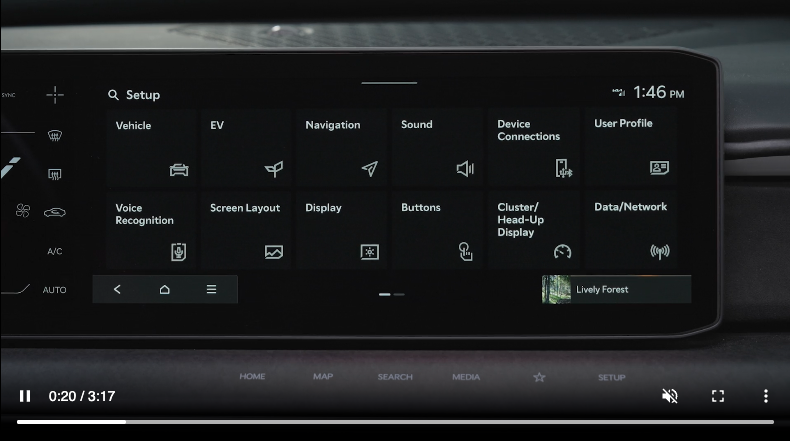


SERVICE INTERVAL MODE
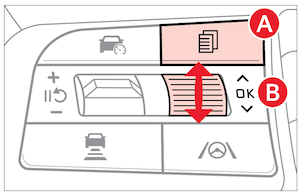
- Press the Mode button
 to cycle to User Settings
 - Scroll down to Service Interval mode and select
- If Service Interval is not checked, press the OK button
 to turn ON
 - Press the OK buttonup/down to select/change the interval setting
- Press the OK buttonto select the interval
When service is required, the following will be displayed: Service Required.
When in User Settings, to reset the Service Interval Mode system, press and hold the OK button for more than 1 second.
Service Interval Setting
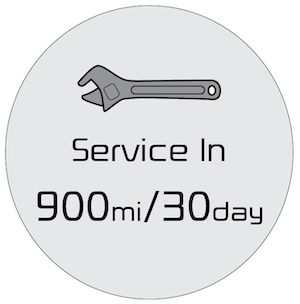
(Message on Cluster Display)
When in the User Settings, in the Service Interval screen, set the service interval:
- Press the Mode buttonto cycle to User Settings
- Scroll down to Service Interval mode and select
- If Service Interval is not checked, press the OK buttonto turn ON
- Press the OK buttonup/down to select/change the interval setting
- Press the OK buttonto select the interval
Quick Tips:
- When engine oil life reaches 5% or below, an “Engine Oil Change Due Soon” message will appear on the Instrument Cluster. After completing the oil change, be sure to reset the reminder in the Vehicle Settings. Go to Convenience, select Oil Change Reminder then press and hold the OK button for more than one second
- Resetting the reminder ensures that your next oil change interval is tracked accurately
- Engine oil life is estimated based on driving conditions and time, and may not directly indicate the actual condition of the oil
Certain features are available only on select Kia models.
For illustrative purposes only. Your actual display, buttons and/or features may vary.
Refer to section 5 in the Owner’s Manual for more information.

