Android Auto / Apple Carplay Setup
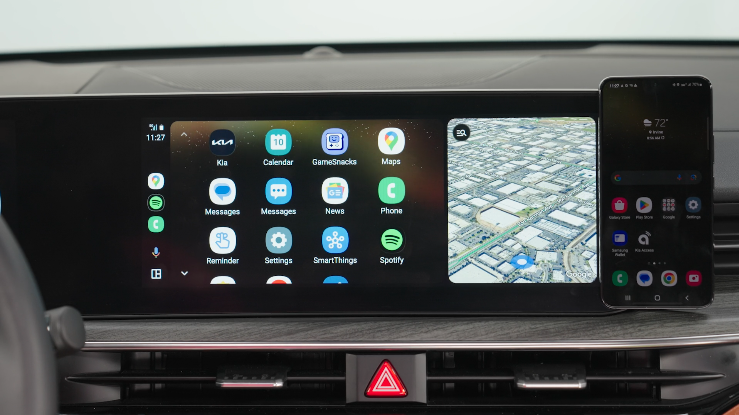
Android Auto™ compatible smartphone setup:
- Download the Android Auto™ app from the Google Play™ Store.
- Open the Android Auto™ app and proceed with the onscreen instructions to complete setup on the mobile device.
Wireless Connection setup for Android Auto™ & Apple CarPlay® :
Press the SETUP key on the infotainment system
- Press DEVICE CONNECTION SETTINGS
- Press PHONE PROJECTION, then ADD NEW
Cable Connection setup for Android Auto™ (Standard Audio System & Kia Connect with Smart Navigation):
- Press the SETUP key on the Infotainment System
- Press DEVICE CONNECTION, select Android Auto™ and then select ENABLE ANDROID AUTO. Review all terms, conditions and requests on the head unit and phone, and, if you agree, accept them in order to use Android Auto™
- Connect the Android™ device with the vehicle’s USB port using the manufacturer’s cable provided with your phone
- From the vehicle’s home screen, select the Android Auto™ button,where you’ll see all the Android Auto™ supported apps
Cable Connection setup for Apple CarPlay® :
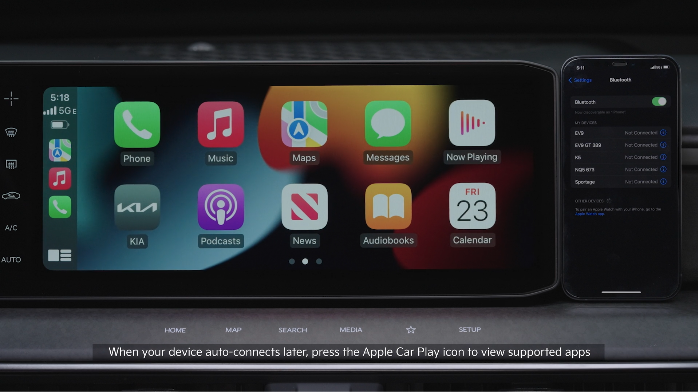
Connect the Apple CarPlay® compatible iPhone® with the vehicle’s USB port using the manufacturer’s cable provided with your iPhone®.
- Press the SETUP key on the Infotainment System
- Press DEVICE CONNECTION on the screen and select Apple CarPlay®
- Select APPLE CARPLAY®. Review all terms, conditions and requests on the head unit and phone, and, if you agree, accept them in order to use Apple CarPlay®
- From the infotainment system home screen, select the Apple CarPlay® button, where you’ll see all the Apple CarPlay® supported apps
Quick Tips:
If Android Auto™ / Apple CarPlay® randomly disconnects:
- The phone should not be disturbed while driving as this can cause a disconnection at the phone’s USB port
- Visit the phone manufacturer’s website for Android Auto™/ Apple CarPlay® app concerns
Reminders:
- Android Auto™ compatibility requirements for connection: OS Android™ 9.0 or higher, phone manufacturer’s USB cable and data plan with applicable feature(s)
- Apple CarPlay® compatibility requirements for connection: iOS® software 10.0 or higher, phone manufacturer’s USB cable and data plan for applicable feature(s)
- It is recommended to always update your phone to the latest operating system release
- Wireless Android Auto™ system only works for certain Android™ models. Use the manufacturer’s USB cable when wireless feature is not available
Driving while distracted can result in a loss of vehicle control that may lead to an accident, severe bodily injury, and death. The driver’s primary responsibility is in the safe and legal operation of a vehicle, and any handheld devices, other equipment, or vehicle systems which take the driver’s eyes, attention and focus away from the safe operation of a vehicle or which are not permissible by law should never be used during operation of the vehicle.
Android Auto™ and Apple CarPlay® run on your smartphone cellular data service. Normal data rates will apply. Refer to the Car Infotainment System Quick Reference Guide for more information.

