Automatic Climate Control
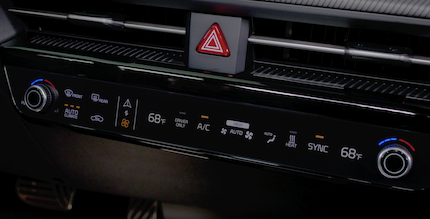
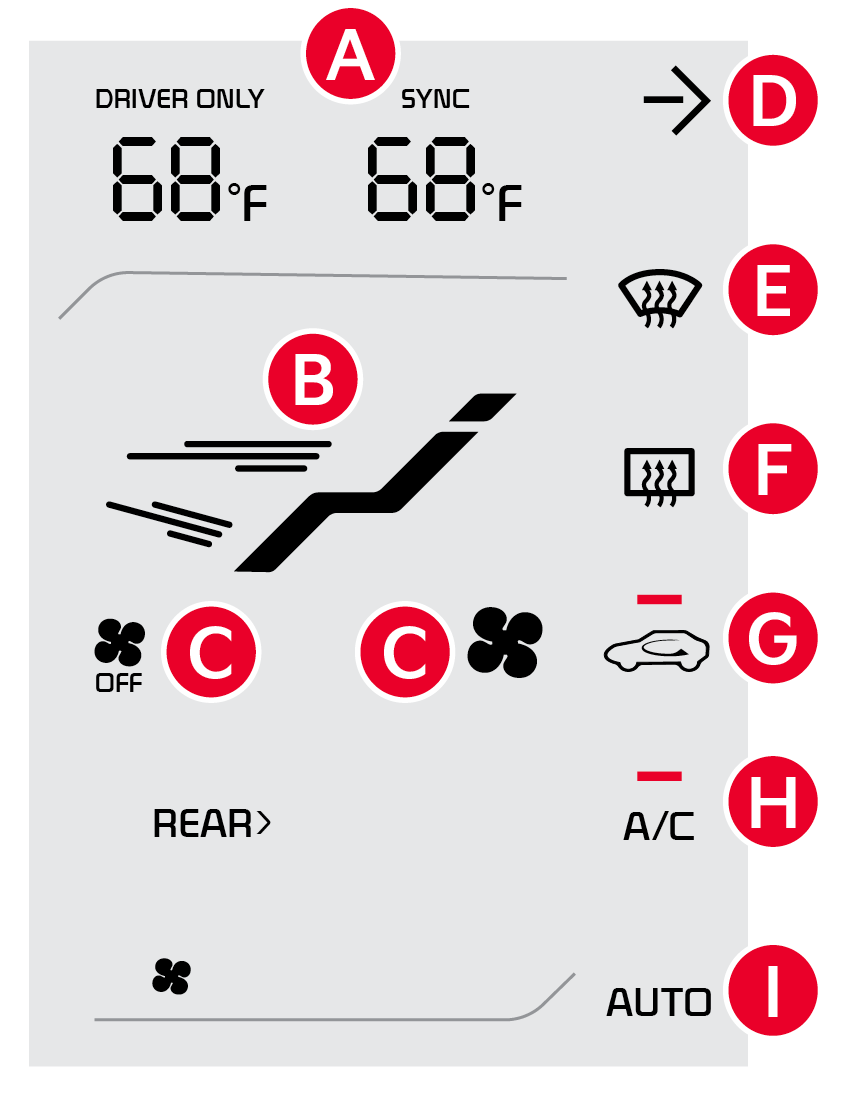
 SYNC icon: Touch the SYNC icon to adjust the driver and passenger side temperature to the same value
 Mode selection icon
 Fan speed control/OFF icon
 Infotainment system screen ON/OFF icon
 Front-windshield defroster icon
 Rear-window defroster icon
 Air intake control icon
 Air conditioning A/C icon
 AUTO (automatic control) icon
 Driver’s side temperature control lever
 Fan speed control/OFF lever
 Mode selection lever
 Passenger’s side temperature control lever

- Press AUTO to select Full Auto Operation – The Auto setting automatically controls the airflow modes, fan speeds, air intake and air conditioning according to the temperature setting selected and the ambient condition. The first setting is high fan speed or air flow (Three LEDs lit). Press again for medium fan speed (Two LEDs lit). Press a third time for the lowest fan speed (One LED lit)
- Set desired Temperature
Defrost Outside Windshield:
- Set Temperature to Hot
- Press the Front Defrost button

Defog Inside Windshield:
- Set Fan Speed to highest position
- Set Temperature to highest position
- Press the Front Defrost button
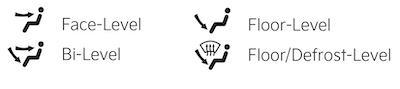
To select Air Flow Modes, press the mode selection button to cycle to the desired mode:
Auto defogging is designed to reduce the fogging up of the inside of the windshield by automatically sensing the moisture of the inside of the windshield. The system will automatically change to defrost mode when needed.
Quick Tips:
- Defrost FRONT mode activates A/C and opens Fresh Air vent to help dehumidify the air and improve Defroster performance
- During Auto Operation, the A/C indicator will NOT illuminate. The fan speed, air intake, air flow and air conditioning may automatically be engaged at any time to reach desired temperature and reduce humidity
- Keep inside glass as clean as possible to reduce window fogging
Reminders:
- Continuous use of the climate control system in the recirculated air position may allow humidity to increase inside the vehicle which may fog the glass and obscure visibility
- When in AUTO mode, Air Flow mode and Fan Speed do not display on the Climate Control Display
- Cold or warm ambient air may flow in through vents if Recirculated Air button is not pressed on (LED lit)
- Pressing any button during AUTO operation will deactivate the AUTO function and switch to manual mode, except for Temperature Control or SYNC Temperature Control
Images are for illustrative purposes only and may not reflect actual feature or operation.
Button configuration may vary. Images are for illustrative purposes only and may not reflect actual feature or operation.
See section 7 in the Owner’s Manual for more information.

