User Settings - Instrument Cluster
To enter the User Settings in the Instrument Cluster, ensure that the vehicle is at a standstill, shift lever is in Park, and the Engine Start/Stop button or Key is in the ON position. Then press the Mode button  and select User Settings
 by pressing the OK button
  up/down. Select the item by pressing the OK button .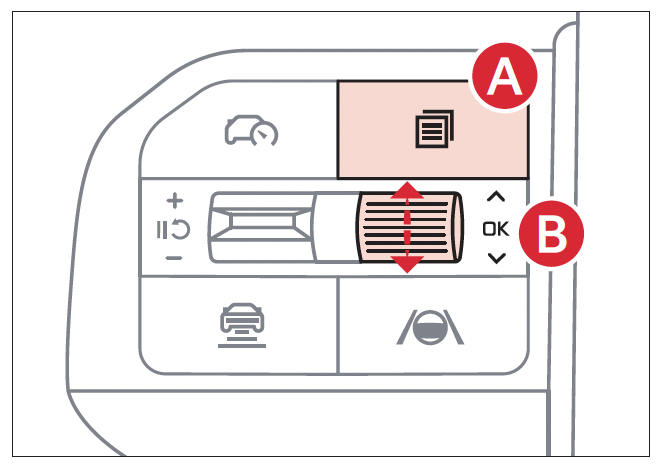
Reminders:
Some settings appear in the Vehicle Settings in the Infotainment System.
Your vehicle’s Instrument Cluster & indicator light locations may differ from those in the illustrations. For more information on the Instrument Cluster, please refer to section 5 of the Owner’s Manual.
Illustration(s) are for demonstration purposes only. Some indicators and warning lights may not appear in illustrations. On the vehicle, they may appear in the LCD.

