Drive Mode Integrated Control System
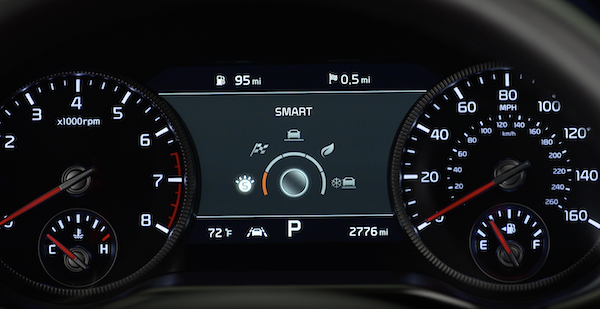
The drive modes may be changed according to the driver’s preferences or road conditions. To cycle through the drive modes  or deactivate a drive mode, rotate the Drive Mode knob
  .
.
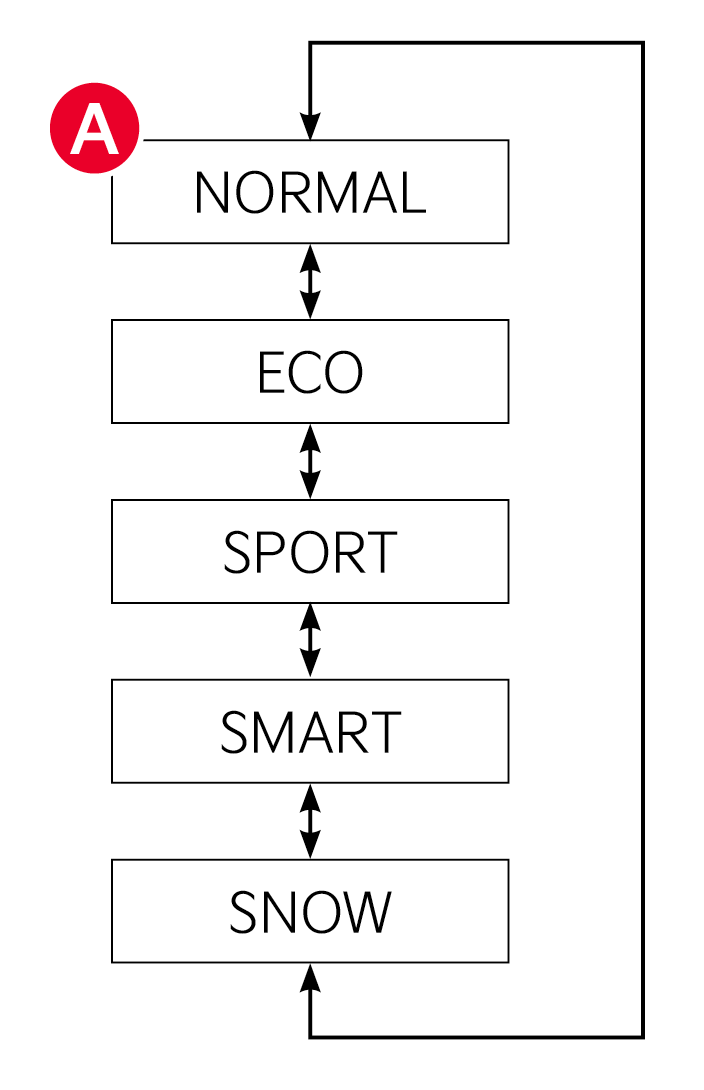
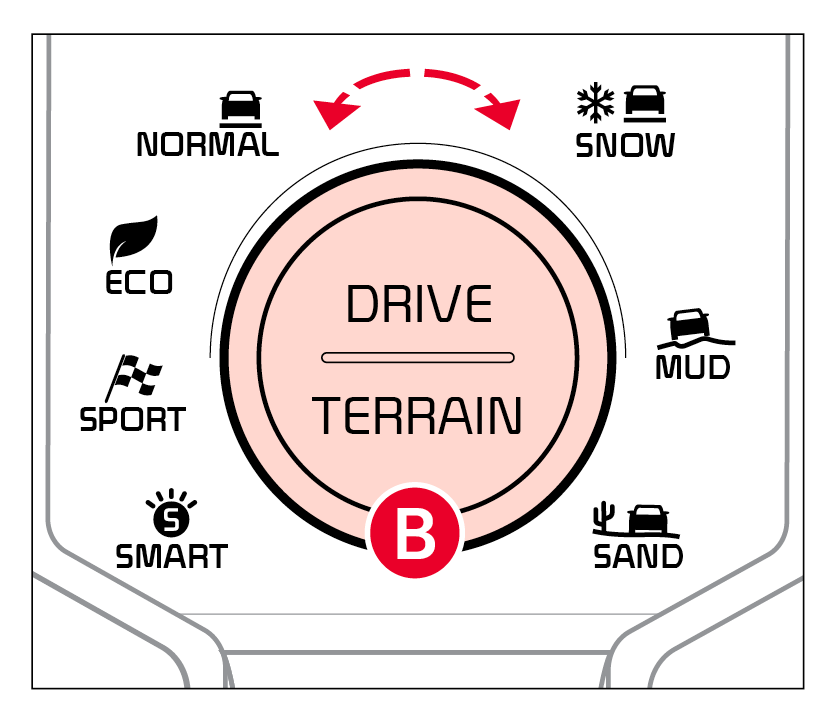
When a drive mode is selected, the drive mode indicator will illuminate in the Instrument Cluster and illuminate next to the Drive Mode knob.
The system’s default mode is NORMAL mode and when selected, the indicator will not be illuminated.
- ECO Mode
- NORMAL Mode
- SPORT Mode
- SMART Mode – When the SMART mode is activated, the system automatically selects the drive mode best suited to the current driving style (economic, average, spirited). The color of the SMART mode indicator (green, white, red) depends on the current driving style
- SNOW Mode
- TERRAIN Mode - Press the DRIVE/TERRAIN Mode to switch from DRIVE MODE to TERRAIN MODE
Quick Tips:
When the vehicle turned off while in SPORT Mode, the system will default to ECO mode. SPORT mode would need to be selected again once the vehicle is restarted.
Reminders:
- When ECO mode is selected, the following may occur to help improve fuel economy:
– Acceleration may be slightly reduced even when the accelerator is fully depressed
– Air conditioner performance may be limited
– Shift pattern of the automatic transmission may change
– Engine noise may increase
– System’s power will be limited when driving uphill
- When SPORT mode is selected, fuel economy may decrease
- The system may default to NORMAL mode when ignition is turned ON
- Steering effort may be slightly increased in SPORT mode
Some features may not be available on all Kia models.
Images are for illustrative purposes only. Your actual display, buttons and/or features may vary.
For more information on driving modes, refer to section 6 in the Owner’s Manual or contact your local dealership.

