Rear Occupant Alert (ROA) with Ultrasonic Sensors
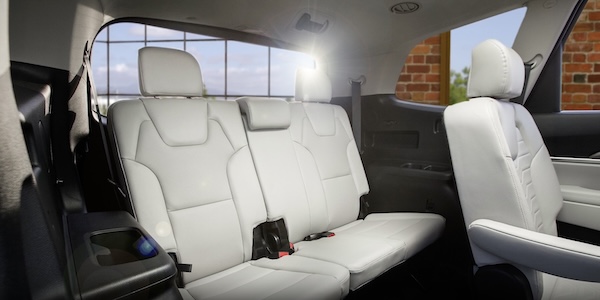
Rear Occupant Alert (ROA) with Ultrasonic Sensors can help alert the driver when the system detects rear passenger(s) are left in the rear seats using the ultrasonic sensors and door monitoring. The system is designed to provide three separate alerts:
- The 1st alert is a message on the Instrument Cluster, “Check Rear Seats”
 , and a chime will sound
 - After the 1st alert, when the doors are locked and there is movement detected in the rear seats, the horn will sound for about 25 seconds. This alert may activate up to eight times within 24 hours, if movement is still detected and system has not been disabled
- If you have installed the Kia Access app on your smartphone, logged in and activated the Rear Occupant Alert notification, a third alert (notification) will be sent to your phone
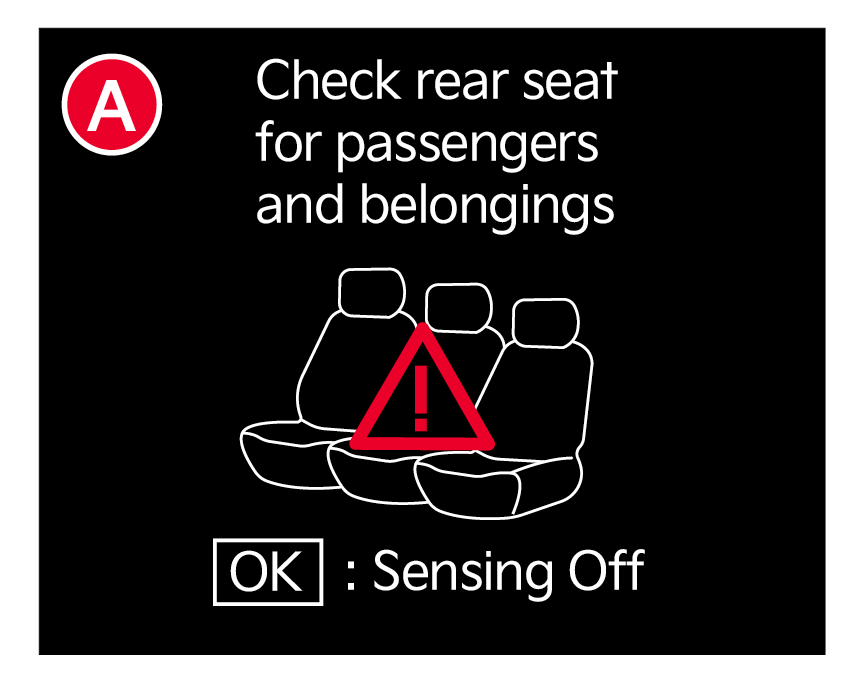
(Message on the Instrument Cluster)
To turn the system ON or OFF
- On the Infotainment System, press Setup, select Vehicle
- Select Convenience
- Then Rear Occupant Alert
- Check/uncheck the box.
Rear Occupant with Ultrasonic Sensors activates under the following conditions:
- A rear passenger door is opened and closed
- The ignition has been turned off
- The driver’s door has been opened, then closed
- The doors are locked with the Smart Key or the door lock button on the door handle
Quick Tips:
- The 1st alert message will not display on Instrument Cluster if the rear doors are never opened. Either rear doors must be opened after unlocking the vehicle before the system will activate.
- To temporarily disable alerts, press the OK button on the Steering Wheel while the message is displayed
- To turn the alert off while sounding, press the unlock button on the Smart Key or press the door lock button on the door handle
- Must be enrolled in Kia Connect services and Kia Access app installed on the phone to receive ROA alert notifications on your smartphone
Reminders:
- To avoid false alerts, make sure the vehicle’s windows are rolled up
- If objects such as boxes are stacked in front of the ultrasonic sensors, the system may not detect any movement
The ultrasonic sensors may occasionally detect movement in the vehicle and cause false alerts, when there are no rear occupants present. False alerts can occur due to:
- The presence of insects near the system sensor
- Rushing air from a window that is rolled down
- Movement around the exterior of the vehicle
- Surrounding noise or vibration
- Vehicle passing through a car wash
- Movement in the driver or front passenger seat is detected
The Rear Occupant Alert with Ultrasonic Sensors system may fail to detect movement and activate an alarm if:
- Movement is subtle or does not continue
- A small child sits directly in a seat without a car seat
- A rear passenger is covered with an object such as a blanket, obstructing the sensor’s view
*See LEGAL page for legal information.
Certain features are available only on select Kia models.
When engaged, Rear Occupant Alert is not a substitute for one’s attention within the vehicle. Always check the vehicle interior when exiting the vehicle.
See section 5 in the Owner’s Manual for more information. Button configuration may vary. Images are for illustrative purposes only and may not reflect actual feature or operation.

