Vehicle Settings - Infotainment System
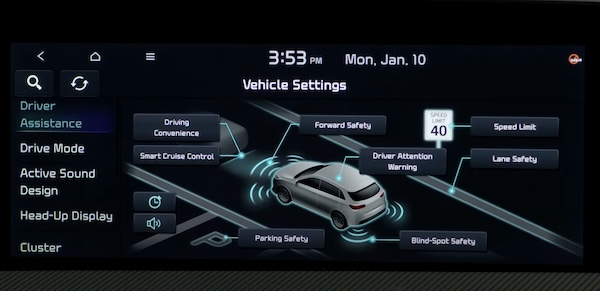
Vehicle Settings - Infotainment System
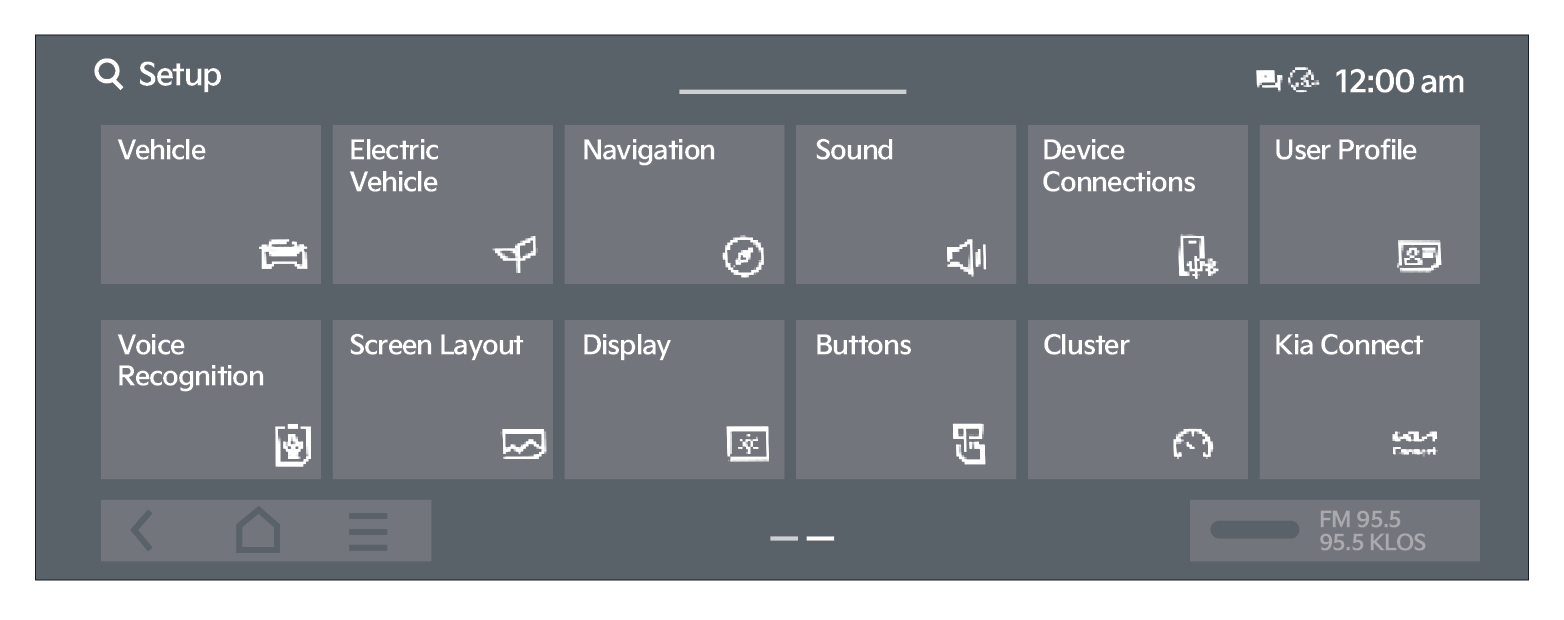
To enter the Vehicle Settings mode in the Infotainment System, press the SETUP button/key on the Infotainment System. Then press Vehicle  , which will take you to Vehicle Settings.
Use the touchscreen to navigate through the menus.
Driver Assistance:
- Driving Convenience
- Smart Cruise Control
- Speed Limit
- Warning Method
- Driver Attention Warning
- Driving Safety
- Parking Safety
Drive Mode:
- My Drive Mode
- Brake Mode
- Driving Mode Change Alert
- Trailer Mode
- Climate Control ECO Mode
Climate:
- Recirculate Air
- Automatic Ventilation
- Defog/Defrost Options
- Climate Features
Seats:
- Link to Climate Settings
- Seating Easy Access
- Seat Position Change Alert
- Smart Posture Care
- Smart Support
- Ergo-motion Seat
Lights:
- Ambient Light
- One Touch Turn Signal
- Welcome Mirror/Light
- Headlight Delay
- Lighting Patterns
- Travel Mode
- High Beam Assist
- Intelligent High Beams
- Interior Lights always on
Door:
- Automatically Lock
- Automatically Unlock
- 2 Press Unlock
- Power Liftgate
- Power Liftgate Opening Speed
- Power Liftgate Opening Height
- Smart Liftgate
- Remote Window Control
Digital Keys:
- Smartphone Key
- NFC Card Key
- Digital Key Information
Convenience:
- Rear Occupant Alert
- Service Interval
- Oil Change Reminder
- Wireless Charging System
- Auto Rear Wiper (in R)
- Smart Glass Tint
- Trailer Mode/Checklist
Driving while distracted is dangerous and should be avoided. Do not attempt to change vehicle system settings while driving.
Images are for illustrative purposes only. Actual feature, buttons and screen may vary.
For more information, refer to the Owner’s Manual or the Car Infotainment System Quick Reference Guide.

