Bluetooth® Wireless Technology
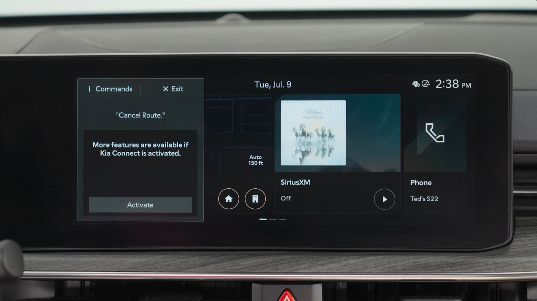
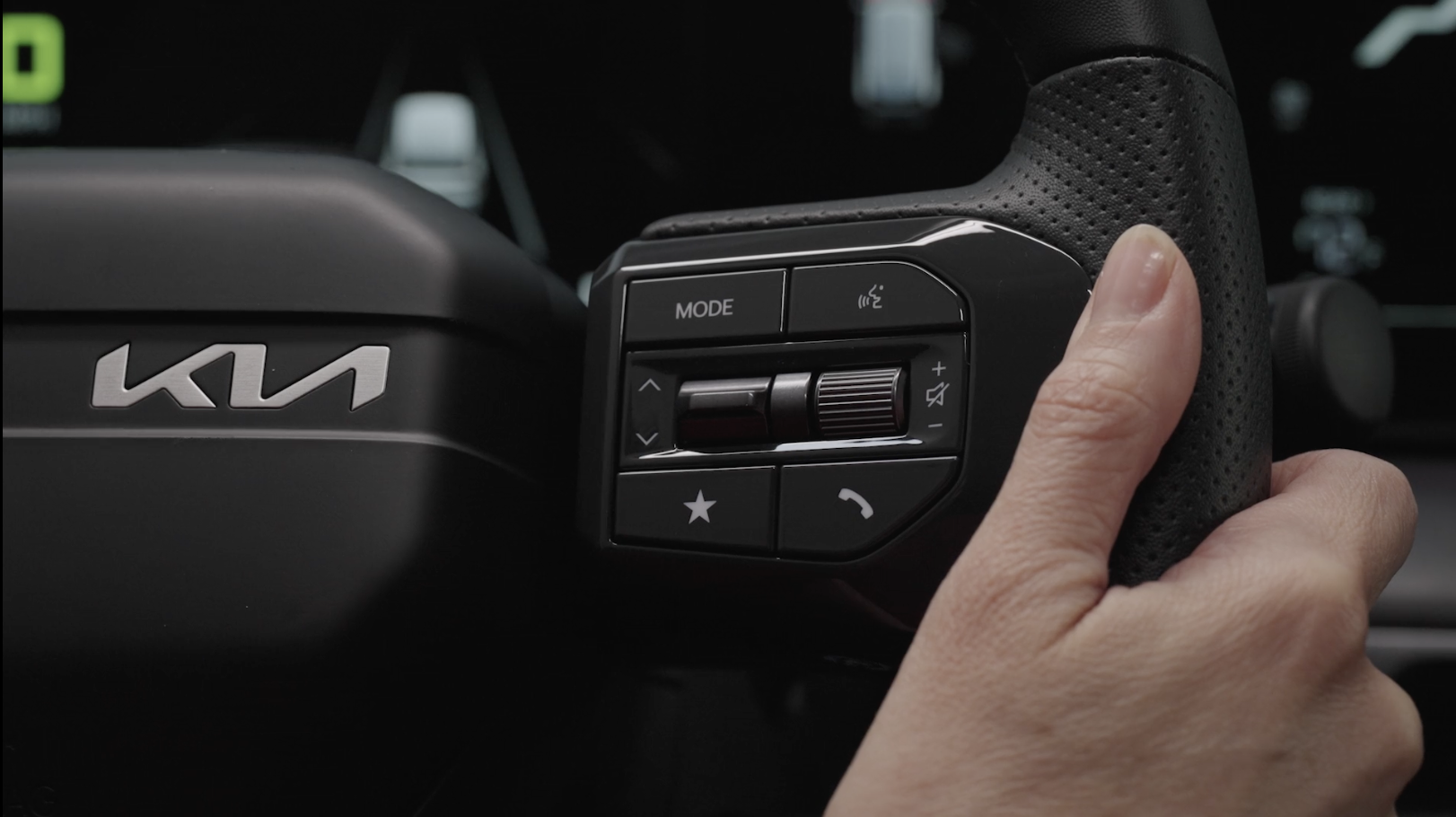
 Voice Recognition button: Press to activate voice recognition/bring up menus/set destinations (if equipped with navigation) with minimal voice command prompts from the system. Press and hold to exit voice recognition
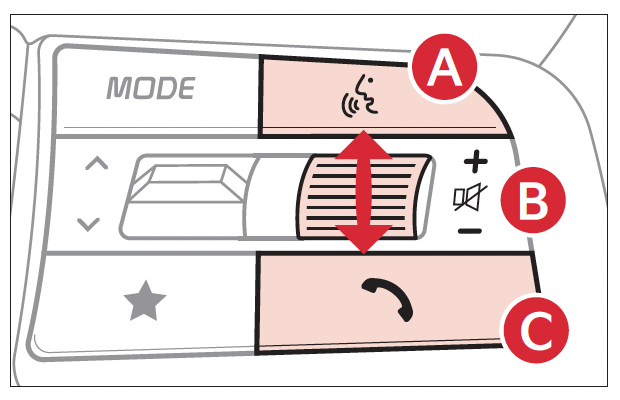
 Volume button: Press up/down to raise/lower speaker volume
Mute button: Press to mute the microphone during a call and to mute the audio system speakers, or to pause Bluetooth® streaming media
 Call/End Call button: Press to receive/place/end calls. If no phone is paired, press the button to pair a phone
Quick Tips:
- When using the voice command feature, wait for the system to BEEP before speaking the command
- Phone book transfer upload time varies by phone model and with number of phone book entries
- Because of differences in phone quality, service providers and Bluetooth® Wireless Technology chip programming, functionality may differ from one phone to another
- Press the SETUP key on the Infotainment System
- Press DEVICE CONNECTIONS, DEVICE CONNECTIONS again and ADD NEW - ensure your smartphone has Bluetooth® turned on
- Select the Vehicle Name you see on the Infotainment System screen in the searched Bluetooth® devices on your phone
- Confirm the verification code matches and approve
- Follow the onscreen prompts on the infotainment system
Quick Tips:
During the pairing process, be sure to accept the connection requests on the phone for phone book download and to allow acceptance of all future Bluetooth® connection requests.
When using the voice command feature, wait for the system beep before speaking the command.
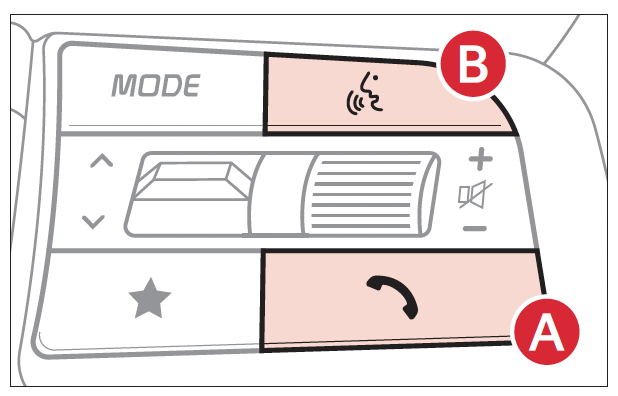
There are two options for placing a call using the Steering Wheel controls:
- Option 1: Press the Call/End Call button(system displays the call history with the most recent calls)
- Option 2: Press the Voice Recognition button(the system will BEEP to indicate it is ready for call placement). Then say the command “Call {name}” or “Dial {number}”
Reminders:
Bluetooth® Wireless Technology audio and calling functions are supported when connected to a Bluetooth® enabled device.
The system may have difficulty understanding uncommon names or some accents. Improve the performance by making a few simple changes to your phone contacts, listed below. To help optimize the Bluetooth® Wireless Technology Voice Recognition system, see other tips and reminders under Quick Tips:
- Use full names (first and last names) vs. short or single-syllable names (e.g., “John Smith” vs. “Dad,” “Smith Residence” vs. “Home”)
- Avoid using special characters, emojis or hyphenated names (e.g., @, &, #, /, -, *, +, etc.)
- Avoid using acronyms (e.g., “In Case of Emergency” vs. “ICE”) or words with all capital letters
- Spell words completely, no abbreviations (e.g., “Doctor Smith” vs. “Dr. Smith”)
Quick Tips:
- The system may register or pair multiple Bluetooth® devices. See the Car Infotainment System Quick Reference Guide for more information on setup and limitations
- Bluetooth® Music Streaming: If the Bluetooth® music is inaudible or too low, turn up the volume on the connected phone
- When placing a call, speak in a natural, moderate tone, with clear pronunciation. The system may have trouble recognizing commands if you speak too softly or too loudly
- Close windows and sunroof and turn off A/C. The noise from an A/C fan operating at higher speeds or wind noise from open windows or sunroof can interfere with Voice Recognition
- Press the Voice Recognition button and say “Help” to get a list of available commands
*See LEGAL page for legal information. Certain features are available on select Kia models.
Bluetooth® wireless Technology audio and calling functions are supported when connected to a Bluetooth® enabled device (sold separately). Button configuration may vary. Images are for illustrative purposes only and may not reflect actual feature or operation. See your Owner’s Manual for more details. Driving while distracted is dangerous and should be avoided. Drivers should remain attentive to driving and always exercise caution when using the steering-wheel-mounted controls while driving.
For more information, refer to the Car Infotainment System Quick Reference Guide. For Bluetooth® Wireless Technology FAQs, go to www.kia.com, Owners section, or call Consumer Information for Bluetooth® Technology at (800) 333-4KIA. Refer to your Owner’s Manual for more specific Bluetooth® Wireless Technology phone pairing and operation instructions.

