Forward Collision-Avoidance Assist 2 (FCA2)
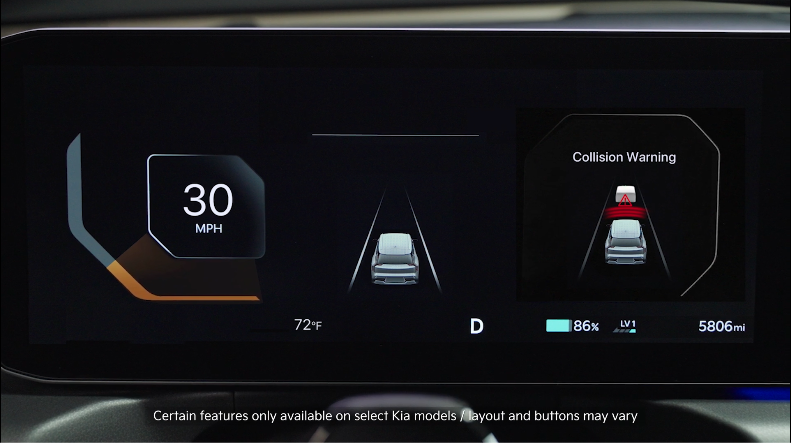

FCA is designed to detect a vehicle ahead or detect a pedestrian/cyclist in the roadway through front view camera recognition and front radar signals. FCA warns the driver that a collision is imminent, and if necessary, temporarily applies emergency braking. If FCA detects a potential collision, FCA emits an audible warning, steering wheel haptic warning, and visual alert on the Instrument Cluster  .
.

If FCA detects that the collision risk has increased, FCA automatically applies the brakes to reduce your speed  , potentially helping to reduce the effects of a possible collision.

**Junction Turning - **With the left turn signal on, if it detects a potential collision, Junction Turning  may help to avoid the collision with an oncoming vehicle in an adjacent lane by applying emergency braking.

**Junction Crossing* - **When approaching an intersection the Junction Crossing function*  may help mitigate or avoid a collision with oncoming vehicles on the left or right side when crossing an intersection by applying emergency braking.

**Direct Oncoming Vehicle function* **may help reduce the vehicle speed to help prevent a collision when a vehicle or powered two-wheeler is detected and approaching from the opposite direction.

Lane-Change Oncoming function* may mitigate or avoid a collision with oncoming vehicles or powered two-wheelers when changing lanes by assisting the driver's steering.

Lane-Change Side function* may help mitigate or avoid a collision with vehicles or powered two-wheelers in the next lane when changing.

Evasive Steering Assist function*
- **Driver Steering Assist **- If a possible collision with a vehicle ahead, pedestrian, cyclist, or powered two-wheeler is detected and you steer to avoid the collision, Evasive Steering Assist may assist the driver in steering.

- Evasive Steering Assistmay help mitigate or avoid a collision with a vehicle, pedestrian cyclist, etc. in the same lane in front of you. When a risk of collision is detected, Evasive Steering Assist may warn you and assist your steering if you move the steering wheel.

FCA 2 Settings:
- FCA is ON by default.
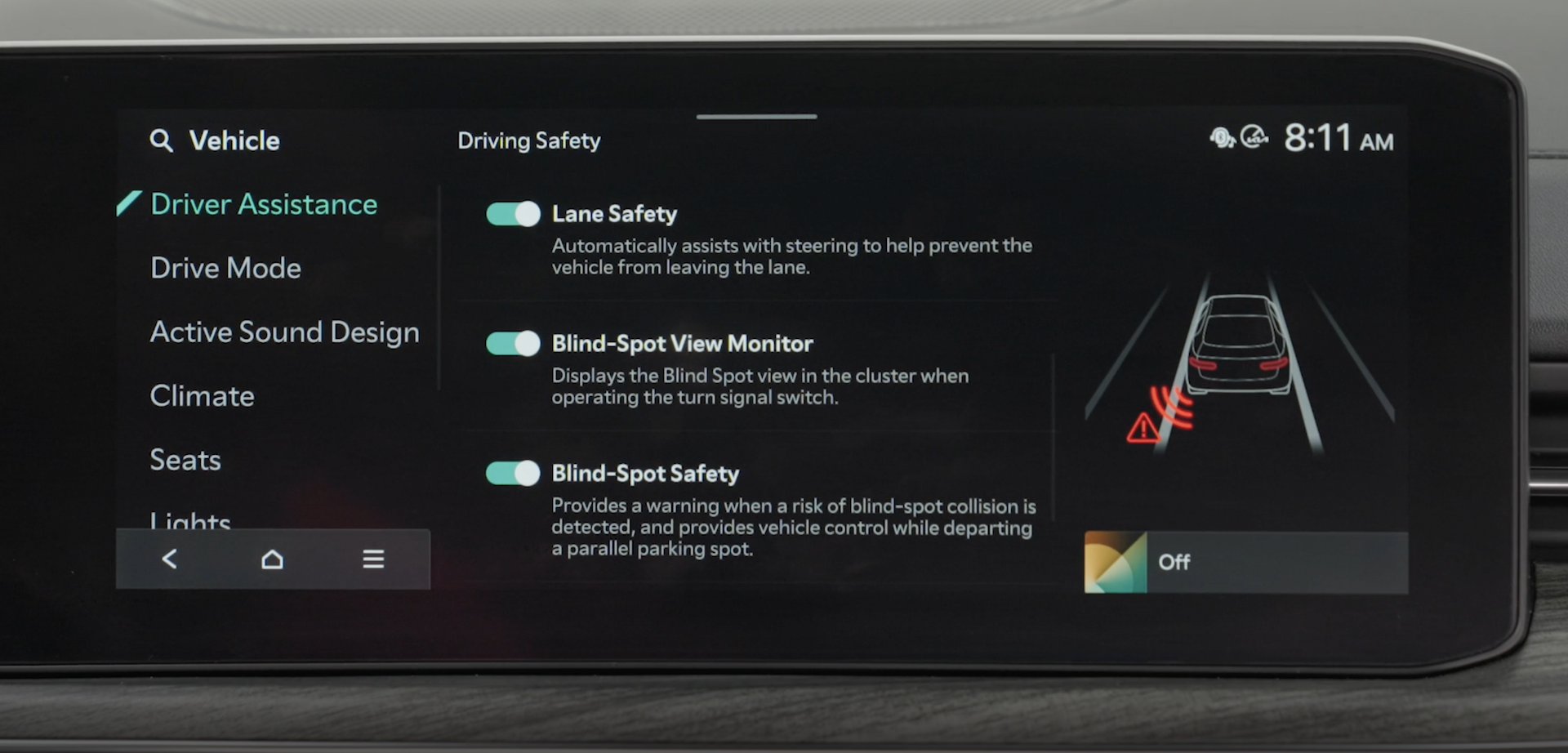
- FCA can be enabled or disabled in the Vehicle Settings in the Infotainment System.
- Make sure the vehicle is at a standstill, gear shift in Park and the Engine Start/Stop button* is in the ON position
Press the SETUP key or the onscreen SETUP button on the Infotainment System.
Press the VEHICLE button to enter Vehicle Settings.
In Driver Assistance, select Driving Safety, and then you may select Forward Safety, Forward Cross-Traffic Safety, and Forward/Side Safety.
To set the Warning Timing, in Driver Assistance, select Driving Safety, then in Forward Safety Warning Timing, select Standard or Late.
FCA will become active when the:
- Ignition is on or the Engine Start/Stop button is in the ON position
- Vehicle is traveling faster than 6 mph
- Electronic Stability Control (ESC) is ON
Quick Tips:
To adjust the WARNING VOLUME:
- To adjust the WARNING VOLUME: Press the SETUP button to go to VEHICLE SETTINGS on the Infotainment System. Press VEHICLE, DRIVER ASSISTANCE, and under WARNING METHODS, you can adjust WARNING VOLUME, and turn HAPTIC WARNING and DRIVER SAFETY PRIORITY on or off
- Adjusting the Warning Methods or Volume will adjust settings for other driver assistance systems
Reminders:
- FCA2 will be activated by default when the ignition is cycled ON, even when previous setting was OFF
- If FCA2 is operating and the ESC (Electronic Stability Control) is turned off, FCA2 is automatically turned off
- When FCA2 is off, the Forward Safety warning light is on in the Instrument Cluster

- Once the risk factors are not detected, these functions will deactivate, then the driver must steer the vehicle
*See LEGAL page for legal information. Certain features are available on select Kia models.
When engaged, Forward Collision-Avoidance Assist 2 is not a substitute for safe driving and may not detect all objects in front of the vehicle. Always drive safely and use caution.
Actual Vehicle and User Settings steps may vary by model. Images are for illustrative purposes only and may not reflect actual feature or operation.
Refer to section 10 in the Owner’s Manual for more information.

