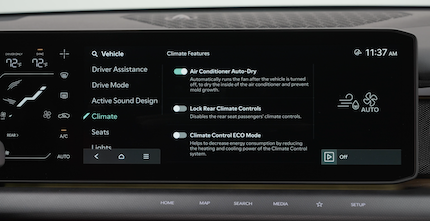
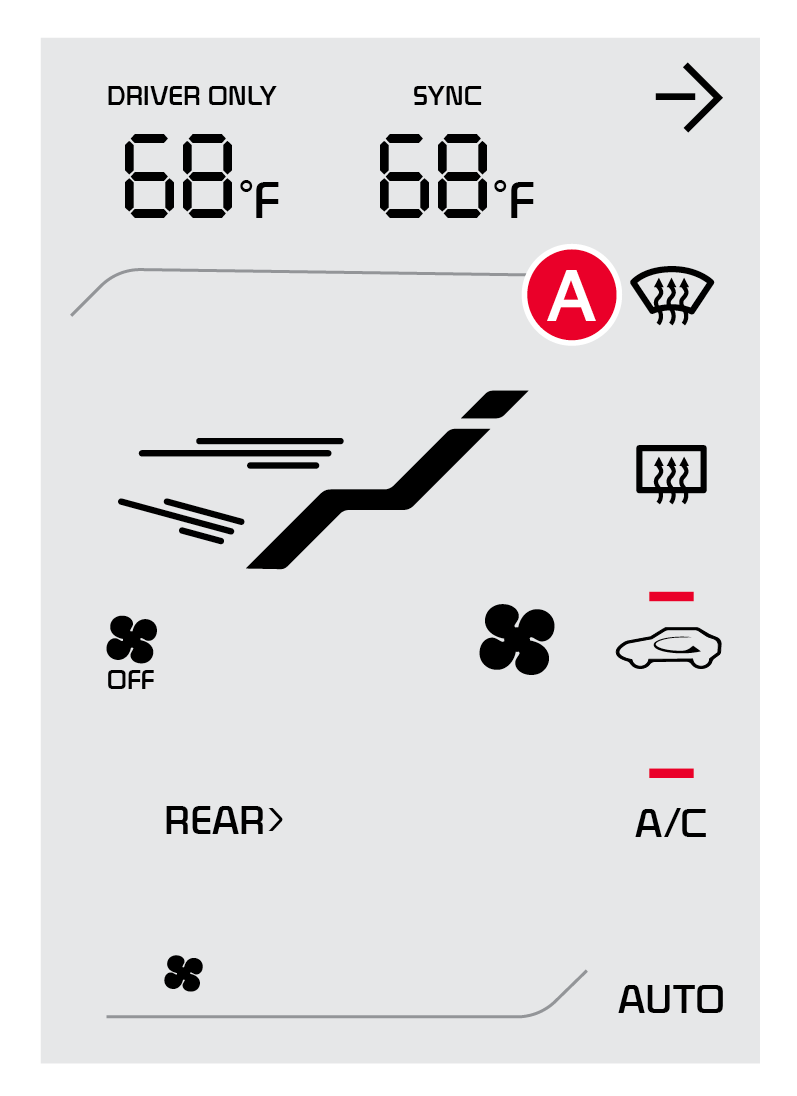
Climate Control Settings
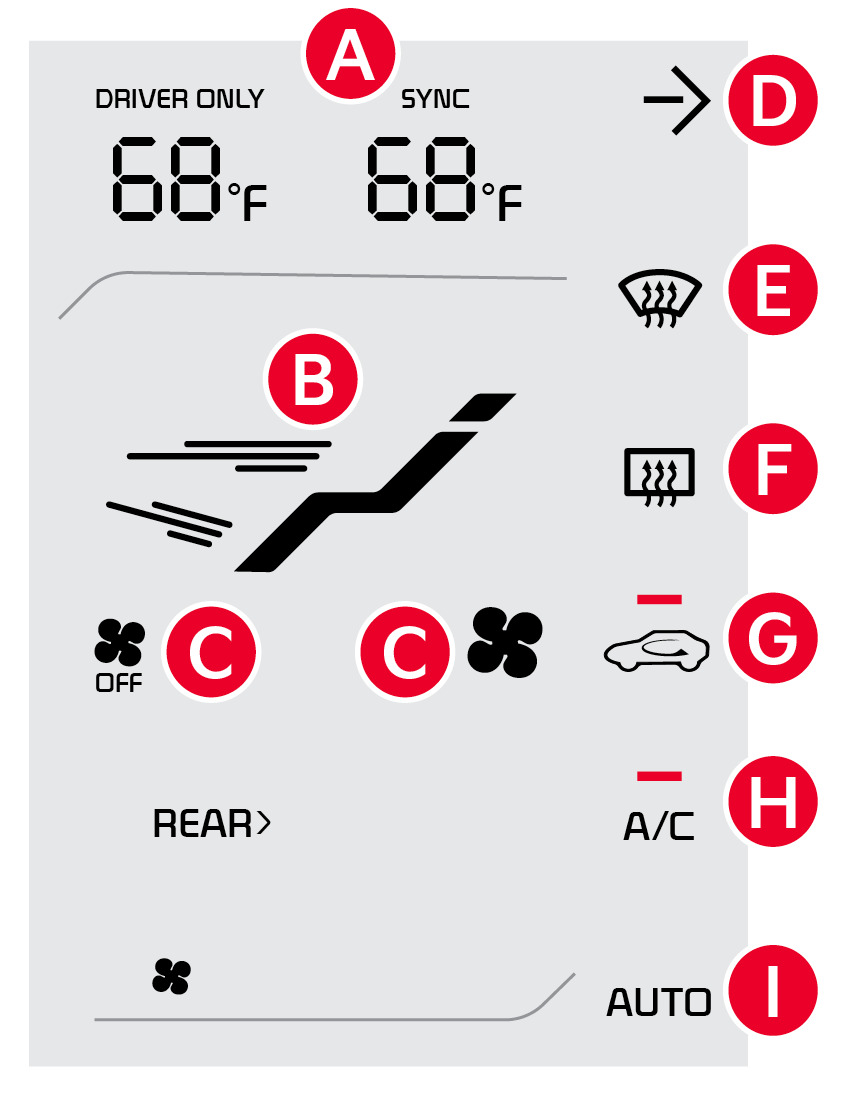
 SYNC Driver/Passenger temperatures
 Mode Selection icon
 Fan Speed Controls
 Press to expand and view the Climate Control System on the Infotainment screen
 Front Windshield Defroster
 Rear Window Defroster
 Air Intake Control
 Air Conditioning On/Off
 Automatic Control
 Driver Temperature Controls
 Passenger Temperature Controls

Press AUTO to select full auto operation. In AUTO mode the driver and front passenger have full control of their own temperature zones. The mode, fan speed, air intake and air conditioning will activate and adjust accordingly to achieve the temperature settings for each zone.
To set temperatures:
to set the driver’s zone temperature to set the front passenger’s zone temperaturePressing the SYNC button synchronizes all climate control zones (driver, passenger, and rear) to the driver’s temperature control.
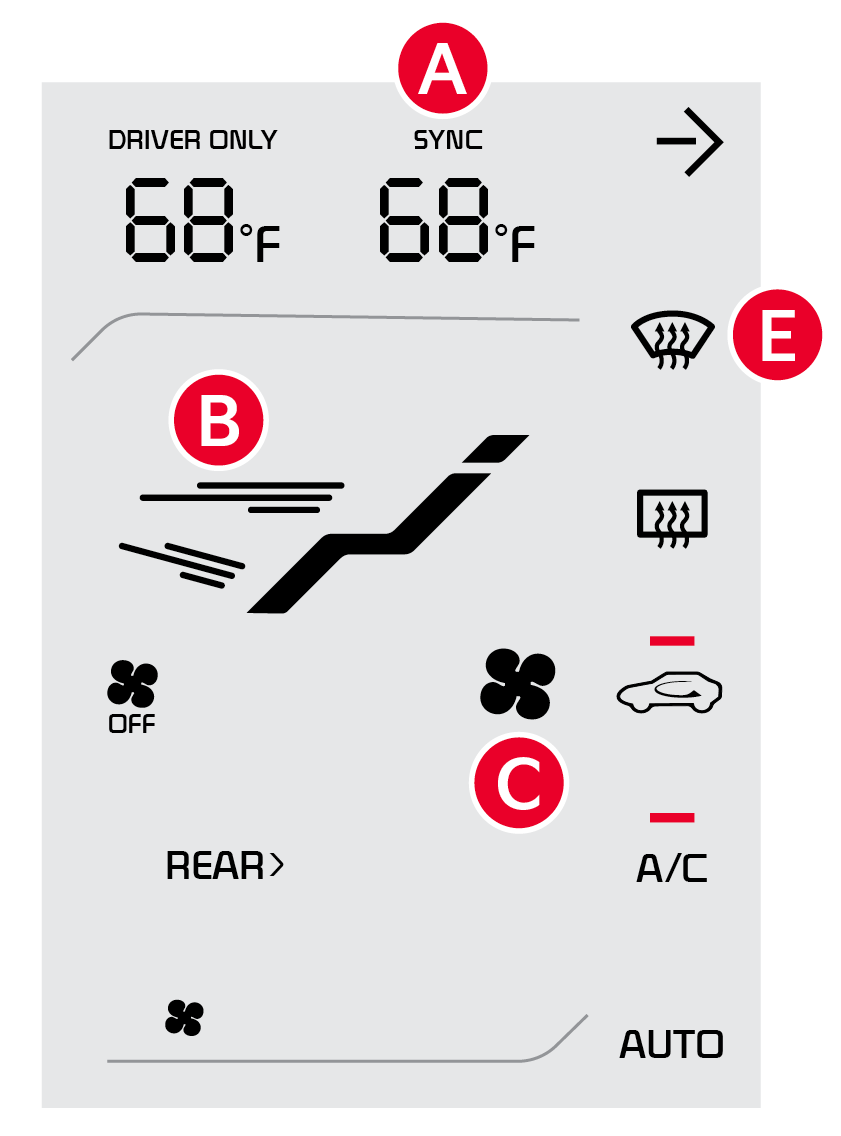
To select air flow modes, press the Mode Select button :  Defrost Outside Windshield:
to defog Inside Windshield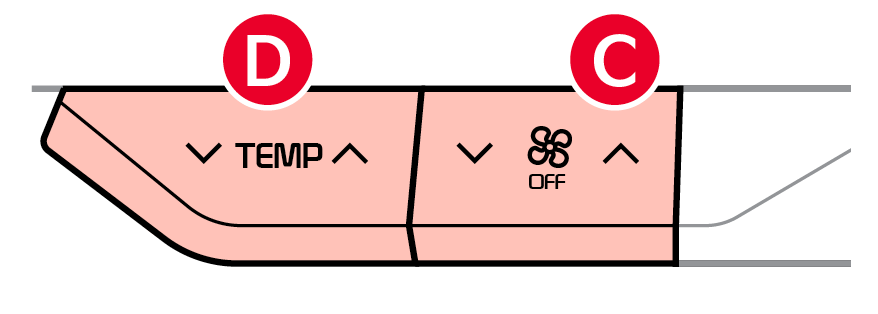
When the Climate Control System’s temperature is turned up to highest heat setting or lowest cool setting, the Seat Warmers / Ventilated Seats turn on automatically.
Auto defogging is designed to reduce the fogging up of the inside of the windshield by automatically sensing the moisture. When the Auto Defogging System is on, it will automatically change to defrost mode when needed.
The ADS is set on by default. To cancel ADS, press the Front Defrost button  for three seconds, when the ignition is on (ADS OFF icon will illuminate). To turn ADS on again, press the Front Defrost button for three seconds.
Refer to section 5 in the Owner’s Manual for more information. Button configuration may vary. Images are for illustrative purposes only and may not reflect actual feature or operation.

