Home/2027 Telluride Hybrid/Ground Lighting
Ground Lighting*

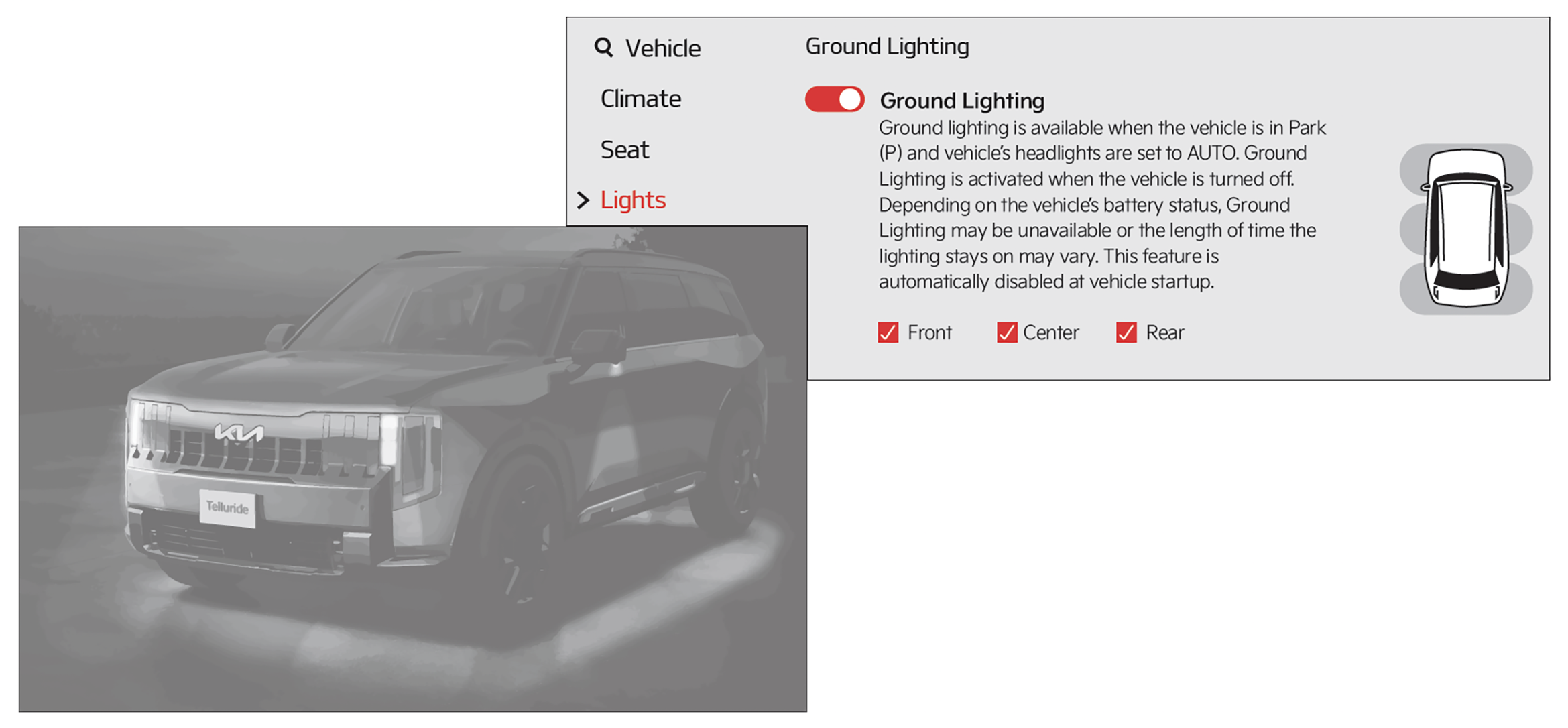
Ground Lighting illuminates the ground area around the vehicle. The light is projected from the headlights, sideview mirrors, rear doors and the rear bumper.

To enable Ground Lighting:

1. Go to the Vehicle Settings in the Infotainment System.

2. Press the SETUP button. Then press VEHICLE, LIGHTS, and select GROUND LIGHTING.

You can also choose which areas to turn on or off - Front, Center, Side.

To turn off Ground Lighting, press the Lock button on the Smart Key twice.
Reminders:

  • Ground Lighting must be set to ON in the Infotainment System before turning vehicle off
  • Ground Lighting is available when:
    — Vehicle is in Park (P)
    — Headlights are set to AUTO
    — Vehicle is turned OFF
  • Ground Lighting automatically turns off when the vehicle is started

*See LEGAL page for legal information.

This feature may not be available on all Kia models. 

Images are for illustrative purposes only.

If vehicle’s 12V battery is low, Ground Lighting may be unavailable or the length of time the lighting stays on may vary.

