
Head-Up Display
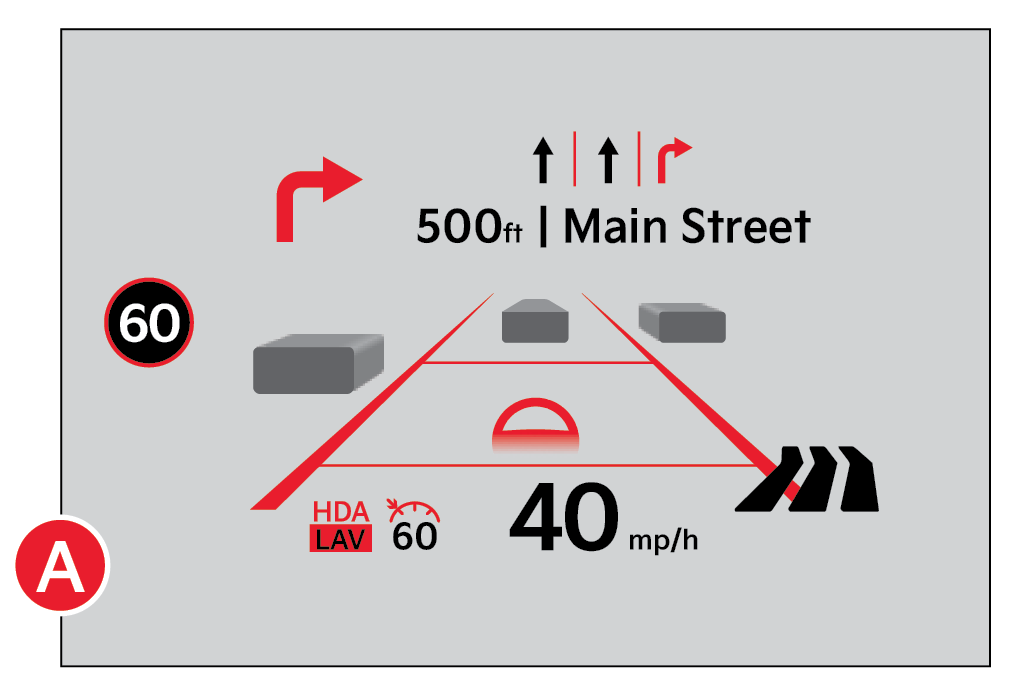
The Head-Up Display (HUD) is a semi-transparent display that is designed to project a snippet of information from the Instrument Cluster and navigation system* onto the windshield glass  .
.
The HUD displays:
Drivers can adjust the HUD settings from Vehicle Settings in the Infotainment System. Press SETUP, Vehicle and Head Up Display.
HUD Settings include:
The HUD image on the windshield glass may not be visible in these cases:
These illustrations are for demonstration purposes only. Some messages may appear differently. See your Owner’s Manual for more information.
When engaged, HUD is a supplemental system. Do not solely rely on the system, always drive safely, and pay attention to the driving conditions on the road. See section 5 in the Owner’s Manual for more information.

