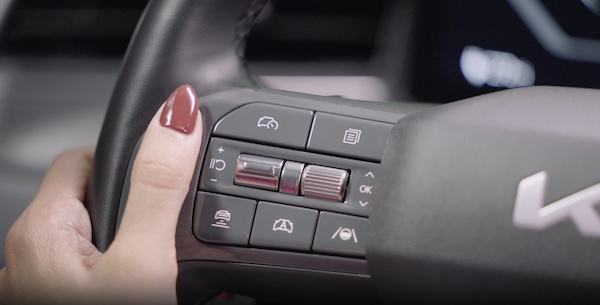
Steering Audio Wheel Controls
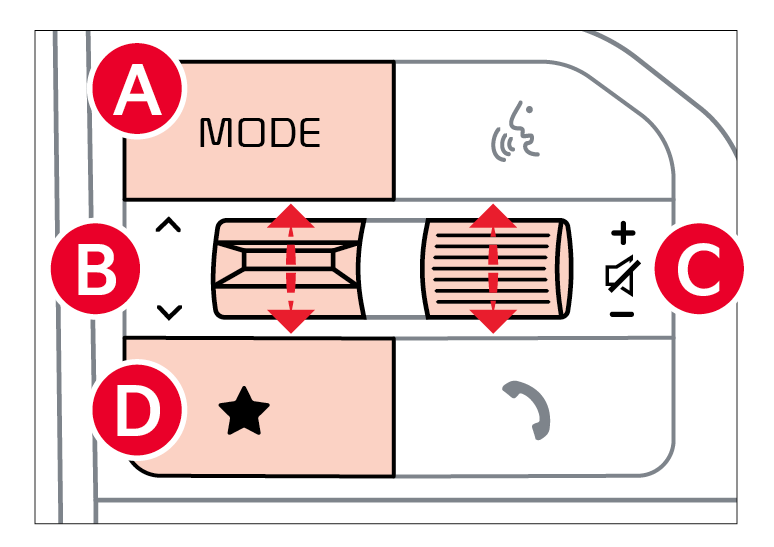
 Mode Button
 Seek/Preset button:
 Volume button: Press up/down to raise/lower volume
Mute button: Press to mute/unmute all audio (Media pauses in some Media modes when pressed)
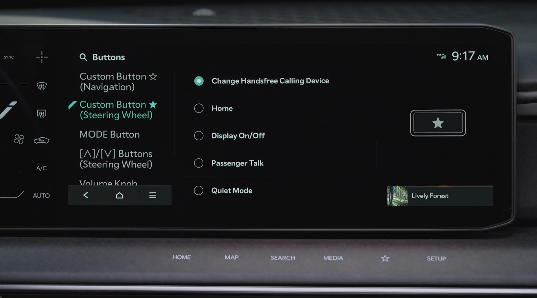
 Custom button: Press to access the user-selected feature. Press and hold to program the Custom Button, then select an available feature you would like the Custom Button to open
*See LEGAL page for legal information
Some features may not be available on all Kia models.
Driving while distracted is dangerous and should be avoided. Drivers should remain attentive to driving and always exercise caution when using the steering-wheel-mounted controls while driving. To help minimize driver distraction, some audio system functionalities have been modified while the vehicle is in Drive, Reverse or moved out of Park.
Your vehicle’s steering wheel buttons may differ from those in the illustrations. See the Car Infotainment System Quick Reference Guide.

